How to Learn Regular Expressions: A Developer's Guide [2026]
Learn regex properly: how to read patterns, the JavaScript API, the classic use cases, when regex is the wrong tool, and how to practice in 2026.

![How to Learn Regular Expressions: A Developer's Guide [2026]](/articles/content/images/size/w1200/2026/07/116-hero-1.jpg)
To learn regex, learn to read patterns before you try to write them. Build the syntax up in layers, starting with literal characters and adding character classes, quantifiers, anchors, and groups one at a time. Then test every pattern against real strings in a live tester instead of shipping it on faith.
Almost nobody does that. The usual approach is to search for "email regex" and paste the first result. It works until it does not, and then there is nothing to debug against.
That is the real problem with regular expressions: most people learn them as a lookup table rather than a language. This guide takes the other route, covering the mental model, the syntax, the JavaScript API, the classic patterns, the traps, and the practice loop.
What Is a Regular Expression?
A regular expression is a pattern that describes a shape of text, used to find, validate, extract, or replace character sequences inside a string.
MDN puts it precisely: regular expressions are "patterns used to match character combinations in strings", and in JavaScript they are objects too. Write one as a literal between slashes, or through the constructor when the pattern is built at runtime:
const literal = /ab+c/;
const built = new RegExp("ab+c");
Regex earns its keep in a few places, and outside them it is usually the wrong tool:
- Validation. Does this input have the right shape before it reaches your database?
- Search and replace. Rename a variable across a file, or reformat a thousand dates.
- Extraction. Pull ticket IDs, prices, or timestamps out of raw text.
- Log analysis. Filter a million lines down to the fifty that matter.
- Refactors. Your editor's find-and-replace is the same engine with a UI.
How Do You Read a Regular Expression?
You read a regex left to right, translating each construct into a plain-English clause and stacking those clauses into a sentence.
The syntax is small, and only looks large because it arrives all at once. Learn it in layers. Literals match themselves. Character classes mean "any one of these", so [^0-9] is anything that is not a digit. Quantifiers say how many times. Anchors match positions rather than characters. Groups bundle a sub-pattern so a quantifier applies to all of it. Alternation takes either side of a pipe. And escaping strips a metacharacter of its powers, so \. matches a literal dot.
| Token | What it matches | Example |
|---|---|---|
[abc] |
any one character in the set | /[aeiou]/ matches a vowel |
[^abc] |
any character not in the set | /[^0-9]/ matches a non-digit |
\d \w \s |
digit, word character, whitespace | \d equals [0-9] |
. |
any character except a line break | /.y/ matches "my" |
* + ? |
zero or more, one or more, zero or one | /bo*/ matches "boooo" |
{2,4} |
between two and four repetitions | /a{1,3}/ matches "aa" |
^ $ |
start and end of the input | /^A/ matches a leading "A" |
\b |
a word boundary, zero characters wide | /\bm/ matches "m" in "moon" |
(x) |
a capturing group | /(\d{4})/ captures a year |
(?:x) |
a group that does not capture | /(?:ab)+/ repeats without storing |
Now read one aloud.
/^#?([a-f0-9]{6}|[a-f0-9]{3})$/i
Start of the input, an optional #, then six or three characters drawn from a to f and 0 to 9, then the end, case-insensitively. That is a hex color validator, and you decoded it without being told what it was. That is the whole skill.
Greedy vs Lazy Matching
Quantifiers are greedy by default: they take as much as they can, giving characters back only when the rest of the pattern fails. Adding ? makes a quantifier lazy. MDN's example shows the gap:
const text = "some <foo> <bar> new </bar> </foo> thing";

text.match(/<.*>/)[0];    // "<foo> <bar> new </bar> </foo>"
text.match(/<.*?>/)[0];   // "<foo>"
Same string, same intent, wildly different results. When a pattern grabs more than expected, greediness is why.
How Do Capture Groups and Backreferences Work?
Capture groups store what a parenthesized sub-pattern matched, so you can read those pieces out of the result, reuse them inside the pattern, or reference them in a replacement. Numbered groups arrive in the order their parentheses open:
const line = "2026-08-06 ERROR payment failed";
const m = line.match(/^(\d{4})-(\d{2})-(\d{2})\s+(\w+)/);

m[0];   // "2026-08-06 ERROR"  (the whole match)
m[1];   // "2026"
m[4];   // "ERROR"
A backreference points at a group from inside the pattern itself, which lets a regex demand that something repeat. This one finds accidentally doubled words:
/\b(\w+)\s+\1\b/.test("this is is a typo"); // true
Once a pattern has more than three groups, counting positions gets miserable. Named groups, added in ES2018, fix that:
const iso = /(?<year>\d{4})-(?<month>\d{2})-(?<day>\d{2})/;
const { groups } = "2026-08-06".match(iso);

groups.year;    // "2026"
groups.month;   // "08"
A pattern that reads groups.month instead of m[2] survives its own edits.
What Are Lookahead and Lookbehind?
Lookaheads and lookbehinds are zero-width assertions: they check whether text appears before or after the current position without consuming any of it.
There are four. Following MDN: (?=y) matches x only if x is followed by y, (?!y) only if it is not, (?<=y) only if x is preceded by y, and (?<!y) only if it is not. Lookbehind landed with ES2018, which is why older tutorials pretend it does not exist. The classic use is a password rule, where several conditions hold at one position:
const strong = /^(?=.*[a-z])(?=.*[A-Z])(?=.*\d).{12,}$/;

strong.test("correcthorse1");         // false, no uppercase
strong.test("CorrectHorse1Battery");  // true
Each lookahead scans from the start, confirms one requirement, then hands the position back untouched. Only .{12,} consumes characters. Lookbehind is the mirror image, useful when you want a value but not its marker:
"Total: $49.00".match(/(?<=\$)\d+(\.\d{2})?/)[0]; // "49.00"
How Do You Use Regex in JavaScript?
JavaScript exposes regex through two RegExp methods, test and exec, plus five string methods: match, matchAll, search, replace, and split. Start with test, which answers yes or no:
/^\d{5}$/.test("90210"); // true
match returns the first match plus its groups, or, with g, a flat array of matches and no group information. When you want both, use matchAll, which MDN describes as returning "an iterator of all results matching this string against a regular expression, including capturing groups". It throws a TypeError without g:
const text = "ping [email protected] or [email protected]";

text.match(/\w+@\w+\.\w{2,}/g);
// ["[email protected]", "[email protected]"]

[...text.matchAll(/(\w+)@([\w.]+)/g)].map(m => m[1]);
// ["ada", "grace"]
The most underrated is replace with a function instead of a string. The function receives the match and each capture group, so the replacement can be computed:
"Shirt $20, Hat $15".replace(/\$(\d+)/g, (match, amount) => `$${amount * 2}`);
// "Shirt $40, Hat $30"
| What you want | Reach for |
|---|---|
| A yes or no answer | re.test(str) |
| The first match and its groups | str.match(re) without g |
| Every match, flat | str.match(re) with g |
| Every match with groups and indices | [...str.matchAll(re)], requires g |
| A transformed string | str.replace(re, fn) |
| To break a string apart | str.split(re) |
What Do Regex Flags Do?
Flags sit after the closing slash and change how the pattern behaves. g finds every match instead of the first, i ignores case, m makes ^ and $ match at line breaks, s (added in ES2018) lets . match line breaks too, u and v switch on full Unicode handling, y anchors matching to the current position, and d reports each match's start and end index.
One trap deserves a warning. A regex with the g flag carries a lastIndex property, and test advances it on every call, so the same test against the same string flips between true and false:
const re = /a/g;
re.test("aa");   // true
re.test("aa");   // true
re.test("aa");   // false, lastIndex ran off the end
That hidden state makes more sense once the language does. This beginner's guide to JavaScript covers the foundations these methods sit on.
Which Classic Patterns Are Worth Learning, and Which Are Traps?
A handful of patterns come up constantly: emails, URLs, phone numbers, dates, password rules, and pulling values out of prose. One is a trap.
Email validation is the trap. There is a persistent belief that a "correct" email regex exists, one implementing RFC 5322 in full. Chasing it wastes an afternoon. The HTML Living Standard declines to try, calling its own definition "a willful violation of RFC 5322" because the RFC syntax is at once too strict, too vague, and too lax for a form field. What browsers run for <input type="email"> is this:
/^[a-zA-Z0-9.!#$%&'*+\/=?^_`{|}~-]+@[a-zA-Z0-9](?:[a-zA-Z0-9-]{0,61}[a-zA-Z0-9])?(?:\.[a-zA-Z0-9](?:[a-zA-Z0-9-]{0,61}[a-zA-Z0-9])?)*$/
If the body that writes the web platform spec settles for an approximation, so should you.
If your email regex rejects a real address, you have not validated anything. You have lost a user. The only reliable test of an email address is sending mail to it.
Validate phone numbers loosely, since formatting varies by country. Prefer new Date() over a date regex, because a pattern can confirm that "2026-02-31" has the right shape but not that it is a real day. Where regex shines is extraction: /\b[A-Z]{2,5}-\d+\b/g pulls every ticket ID out of release notes.
When Should You Not Use Regex?
Do not use regex on anything with nesting. HTML, XML, JSON, and source code all allow structures inside structures to arbitrary depth, and a regular expression cannot count depth.
That is a mathematical limit, not a matter of skill. A pattern that works on your sample HTML is one nested tag away from matching the wrong thing. Use the right tool:
- HTML in the browser:
DOMParser, or query the DOM directly. - JSON:
JSON.parse. Faster than your regex, and it validates. - CSV: a parser that understands quoted fields, since a comma inside quotes is not a delimiter.
- Source code: your language's AST tooling, which is what codemods are built on.
Two heuristics keep you honest. If the pattern is longer than the code it replaces, it is the wrong tool. If you cannot read it aloud in one breath, neither can whoever inherits it.
What Is Catastrophic Backtracking?
Catastrophic backtracking happens when a regex engine explores exponentially many ways to match a failing input, turning a harmless-looking pattern into a denial-of-service vulnerability.
OWASP tracks this as ReDoS and describes the runtime as "exponentially related to input size". When a match fails, the engine backs up and tries a different split of the input, and certain shapes produce astronomically many splits. OWASP's example, ^(a+)+$, generates 65,536 paths against 17 characters, doubling with each one you add.
Not theoretical: on 2 July 2019, Cloudflare deployed a firewall rule containing .*(?:.*=.*). In their own postmortem, CPU across their global network spiked to nearly 100% and traffic was down for 27 minutes. One regex, one deploy, a worldwide outage.
Four habits avoid it:
- Never nest a quantifier inside a quantified group over an overlapping set.
(a+)+and([a-z]+)*are the canonical evil shapes. - Anchor your patterns.
^and$cut off entire branches of the search before it starts. - Prefer a specific character class to
., so the engine has fewer places to wander. - Never run a user-supplied regex on your server, and cap the input length you match against.
How Should You Practice Regex in 2026?
Practice regex by writing the test string first and the pattern second, in a live tester that shows every match as you type.
Two tools cover most of it. regex101 explains your pattern in plain English as you type, with match details, a debugger, and a benchmark for catching the backtracking problems above. RegExr, built by Grant Skinner's team and open source under GPL v3, is the friendlier of the two for learning. Keep the MDN cheatsheet open beside either.
Then the 2026 question: why learn this when AI will write the pattern for you? Because the AI writes it and you own it. Stack Overflow's 2025 Developer Survey found 84% of respondents using or planning to use AI tools, while 45.7% somewhat or highly distrust the accuracy of what comes back, and 66% named "AI solutions that are almost right, but not quite" as their biggest frustration. A regex that is almost right is the purest example: it passes your three test cases and drops one record in ten thousand. Generating regex is cheap now. Reading it, testing it, and rejecting it is not. A roundup of AI coding assistants covers the tools; this guide covers the verification.
For a guided start, Scrimba's free Learn Regular Expressions course runs 46 minutes across 34 screencasts, recorded by Beau Carnes and based on freeCodeCamp's Regular Expressions curriculum.
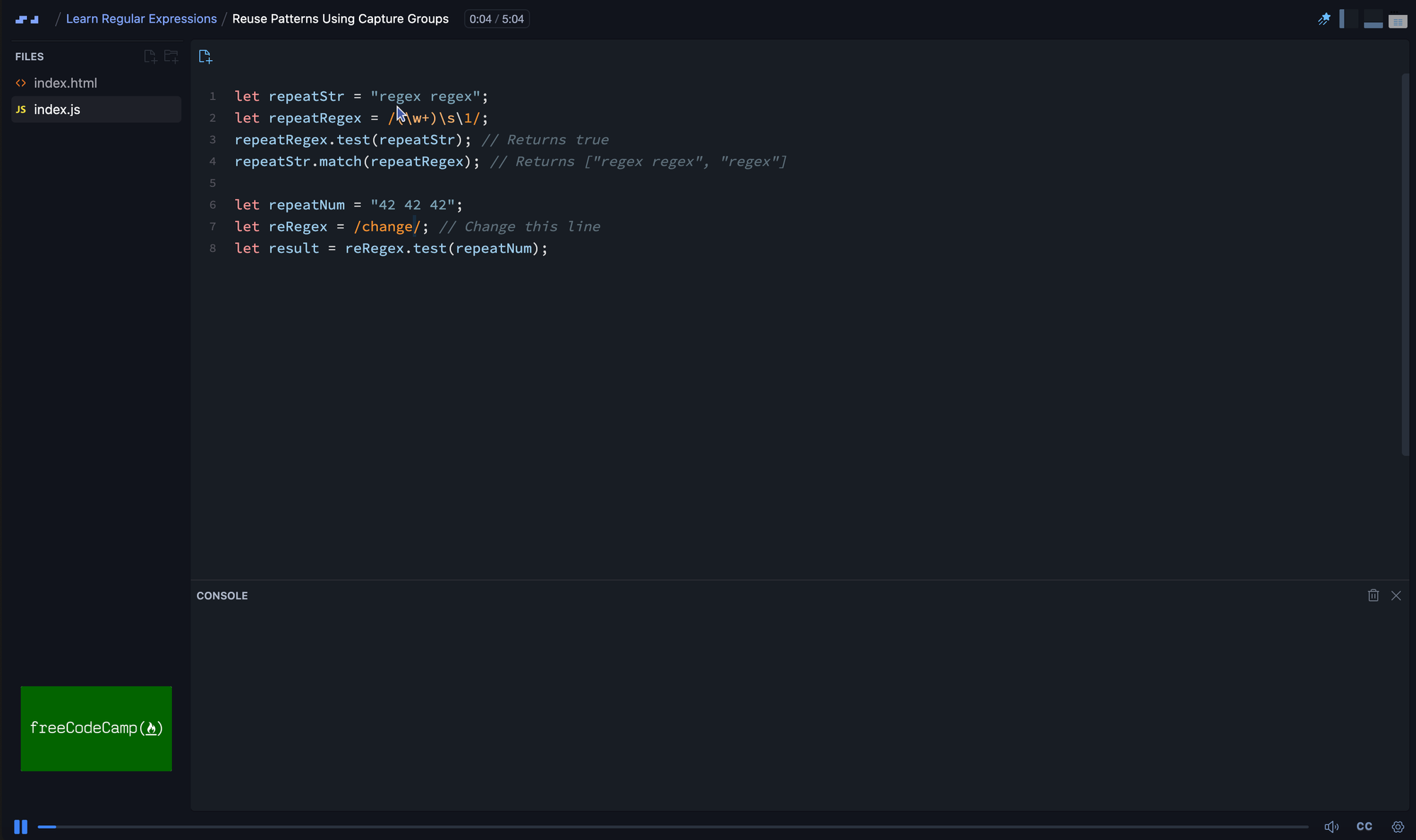
It covers the test method, character classes, quantifiers including lazy matching, anchors and whitespace shorthand, lookaheads, and capture groups for search and replace. In Scrimba's scrim format you pause the screencast and edit the instructor's code in the browser, which suits regex better than most topics: the only way to understand a pattern is to change a character and watch what breaks.
Being straight about what 46 minutes cannot include: named capture groups and the rest of ES2018, catastrophic backtracking, regex flavors outside JavaScript, and the point where parsers replace patterns. This guide is the map for that half.
Three Scrimba courses fill in the language underneath. The free Learn JavaScript course, 9.4 hours with Per Borgen and built with Mozilla MDN, gets strings, arrays, and methods solid. Advanced JavaScript, 9.8 hours with Tom Chant, is the Pro-tier next step. And since regex transfers across languages with small dialect changes, the free Learn Python course, 5.6 hours with Olof Paulson, covers the Python fundamentals you would apply it to, though it teaches core Python rather than regex. Scrimba Pro runs $24.50 per month on the annual plan ($294 per year), with regional and student discounts available. The free courses named here include a completion certificate.
The loop matters more than the platform: grab real text, write the pattern, then check it against the cases you expect to fail. For structure around that loop, these guides to free JavaScript courses, coding practice platforms, and learning Python are good starting points.
Frequently Asked Questions
How long does it take to learn regex?
The core syntax takes an afternoon. Character classes, quantifiers, anchors, and groups cover most real use, and a focused course gets you there in under an hour. Fluency, reading an unfamiliar pattern without a reference, takes a few weeks of using regex on real text.
Is regex the same in every programming language?
The fundamentals are. Character classes, quantifiers, anchors, and groups work the same in JavaScript, Python, Java, Go, and command line tools. Dialects differ at the edges: lookbehind support, named group syntax, and Unicode handling vary. Learn one flavor and the rest are small adjustments.
Should I just let AI write my regex?
Use it, but verify it. AI models produce plausible patterns quickly and are genuinely good at this task. They are also confidently wrong in ways that pass casual testing. Paste any generated pattern into a tester, run your edge cases, and read it token by token before it ships.
Do I need regex to get a developer job?
You will not be hired for regex alone, but you will be expected to handle it. Form validation, log filtering, and search and replace across a codebase all assume it. Interviewers rarely ask for a pattern from memory. They do expect you to explain one.
Key Takeaways
- A regular expression is a pattern describing a shape of text, used to validate, search, extract, or replace inside strings.
- Learn regex in layers: literals, classes, quantifiers, anchors, groups, alternation, escaping. Reading comes before writing.
- Quantifiers are greedy by default; adding
?makes them lazy. Named capture groups, added in ES2018, keep patterns readable. - Use
testfor yes or no,matchAllfor every match with its groups, andreplacewith a function to compute the replacement. - Never use regex on nested structures like HTML or JSON. A pattern cannot count depth, so use a parser.
- Nested quantifiers over overlapping sets cause catastrophic backtracking, the ReDoS flaw that took Cloudflare down for 27 minutes in 2019.
- AI generates regex quickly but is often almost right, which makes reading and verifying it the durable skill in 2026.
Sources
- MDN Web Docs. "Regular expressions (JavaScript Guide)." https://developer.mozilla.org/en-US/docs/Web/JavaScript/Guide/Regular_expressions
- MDN Web Docs. "Regular expression syntax cheat sheet." https://developer.mozilla.org/en-US/docs/Web/JavaScript/Guide/Regular_expressions/Cheatsheet
- MDN Web Docs. "String.prototype.matchAll()." https://developer.mozilla.org/en-US/docs/Web/JavaScript/Reference/Global_Objects/String/matchAll
- OWASP. "Regular expression Denial of Service (ReDoS)." https://owasp.org/www-community/attacks/Regular_expression_Denial_of_Service_-_ReDoS
- Cloudflare. "Details of the Cloudflare outage on July 2, 2019." https://blog.cloudflare.com/details-of-the-cloudflare-outage-on-july-2-2019/
- WHATWG. "HTML Living Standard: valid e-mail address." https://html.spec.whatwg.org/multipage/input.html#valid-e-mail-address
- TC39. "RegExp lookbehind assertions proposal." https://github.com/tc39/proposal-regexp-lookbehind
- TC39. "RegExp dotAll flag proposal." https://github.com/tc39/proposal-regexp-dotall-flag
- Stack Overflow. "2025 Developer Survey: AI." https://survey.stackoverflow.co/2025/ai
- regex101. Online regex tester and debugger. https://regex101.com/
- gskinner. "RegExr" (open source, GPL v3). https://github.com/gskinner/regexr