Learn to Code by Building Games [2026]
Coding games means two things: games that teach code, and building games to learn code. The build ladder, the game loop, and the honest limits of each.

![Learn to Code by Building Games [2026]](/articles/content/images/size/w1200/2026/07/120-hero-1.jpg)
Coding games means two different things, and picking the wrong one wastes months. The first is games that teach you to code: CodeCombat, Codewars, Flexbox Froggy, Human Resource Machine. The second is building games as a way to learn to code: tic-tac-toe, then snake, then a platformer. Gamified platforms are excellent at drilling syntax and terrible at producing anything you can show an employer. Building games is slower, more frustrating, and gives you a portfolio.
This guide covers both: a difficulty-ordered ladder of games a beginner can finish in a browser, the one concept that separates a game from a web page, and where each path runs out.
What Do People Mean by "Coding Games"?
Coding games covers two categories: puzzle games where writing code is the gameplay, and the practice of building playable games yourself to learn programming.
The two are not competitors. They fail in different places, which is what makes the choice easy once you name it.
Gamified practice gives you tight feedback loops. You write three lines, the level either completes or it does not, and you move on. That loop is genuinely good for the phase where every semicolon is a fight. It is also a closed system: the game defines the problem, supplies the scaffolding, and tells you when you are done.
Building a game removes all three of those. Nobody tells you what "done" means, nothing is scaffolded, and the bug is yours. That is uncomfortable, and it is exactly the skill that transfers to a job.
Every beginner who has been stuck knows the feeling: you can follow along with anything and start nothing. Gamified levels do not fix that. Finishing something you designed does.
Most learners should use both, in sequence. Drill with the games while your syntax is shaky, then switch to building as soon as you can write a loop without looking it up. Scrimba's roundup of coding practice platforms and challenge websites covers the drilling side in depth. This guide leans on the building side.
Games You Can Build in the Browser, Ordered by Difficulty
Start with a game that has no motion. Add motion only when the logic underneath already works. That single ordering rule prevents most of the abandoned projects on GitHub.
| Game | What it teaches | Difficulty | Tech |
|---|---|---|---|
| Tic-tac-toe | Arrays, conditionals, win detection, rendering from state | Beginner | HTML, CSS, DOM |
| Memory match | Shuffling, timers, paired state, disabling input mid-turn | Beginner | DOM or React |
| Quiz app | Data structures, iteration, scoring, form handling | Beginner | DOM or React |
| Snake | The game loop, grid movement, self-collision, growth | Intermediate | DOM grid or canvas |
| Breakout | Velocity, wall and paddle bouncing, brick collision, lives | Intermediate | Canvas |
| Platformer | Gravity, jump arcs, tile maps, camera, sprite animation | Advanced | Canvas or a framework |
Tic-tac-toe: state and conditionals
Nine cells, two symbols, eight winning lines. No animation, no timing, no physics.
What makes it a real exercise is the discipline of keeping the board in a JavaScript array and rendering the DOM from that array, never the other way around. Beginners almost always read the current player's move out of the HTML. It works, then it breaks the moment they add an undo button.
Win detection is the other lesson: eight hardcoded index triples, checked after every move. It is unglamorous code, and writing it teaches you more about arrays than any exercise about arrays.
Memory match: arrays, timers, and locked input
Flip two cards, keep them if they match, flip them back if they do not. The shuffle is a Fisher-Yates loop. The flip-back delay is your first setTimeout.
The bug everyone hits is that a fast player can flip a third card during the delay. Fixing it means introducing a lock flag and reasoning about when the game accepts input, which is the beginning of thinking in game states rather than event handlers.
Scrimba has a dedicated course here. Build a Memory Game in React runs 4.4 hours across 38 lessons with Ajo Borgvold, covering matching, shuffling, and randomizing logic, plus fetching and storing API data in React state and ARIA accessibility. It assumes you already know basic React.
Quiz app: data structures and the DOM
A quiz is a game with the timing removed, which is why it is a good third build. Your questions live in an array of objects. Rendering them, tracking answers, scoring at the end, and resetting cleanly covers most of the DOM work a junior frontend role expects. Add a countdown per question and you have a timer without a game loop.
This is the point to start a real project list. Scrimba's beginner project ideas and React project ideas both include buildable variations.
Snake: the game loop and collision
Snake is the jump. It is the first game where something happens when the player does nothing.
You need a loop that advances the snake on a tick, direction input that cannot reverse into itself, growth on eating, and three collision checks: wall, self, and food. The classic beginner bug is reading input directly instead of buffering it, so a fast double tap turns the snake inside out.
You can build snake entirely with a CSS grid and DOM nodes. Doing so keeps the loop honest and postpones canvas by one project.
Platformer: canvas, gravity, and tile maps
A platformer is where hobby projects go to die, and it is worth attempting anyway.
Gravity is one line: add a constant to vertical velocity each frame. Everything after that is hard. Jump arcs that feel right, resolving collisions on two axes without the player sticking to walls, a tile map, a camera that follows without jitter, and sprite animation frames. Reach for a framework here rather than writing a physics resolver by hand.
The Game Loop, Explained Once
A game loop is a function that runs on every animation frame, updates the game state, draws the result, and schedules itself again.
That is the whole concept, and it is the one thing a web page does not have. A page waits for events. A game runs whether or not you touch it. MDN recommends window.requestAnimationFrame() so the loop runs, in its words, "as frequently as the browser wants to paint."
let last = 0;

function frame(now) {
  const dt = (now - last) / 1000; // seconds since the previous frame
  last = now;

  update(dt); // move everything
  render();   // draw everything

  requestAnimationFrame(frame);
}

requestAnimationFrame(frame);
Two details carry the weight. The dt value is elapsed time, and multiplying movement by it is what stops your game running at double speed on a 120 Hz display. And update and render stay separate: one changes numbers, one draws pixels. MDN documents more advanced patterns where update runs at a fixed rate while render runs as fast as the screen allows.
Do not use setInterval for this. It keeps firing in a background tab, drifts under load, and has no relationship to when the browser actually paints.
Canvas or DOM: Which Do You Actually Need?
The DOM is fine for grid-based and turn-based games. Canvas earns its place when you have many moving objects, free-form positions, or per-pixel drawing.
Beginners assume games require canvas. They do not. Tic-tac-toe, memory, a quiz, 2048, minesweeper, and a card game are all better as DOM elements, because you get CSS transitions, accessibility, and browser dev tools that show you the board.
Canvas is a drawing surface with no memory of what you drew. Every frame you clear it and redraw everything, and each shape stops being an object the moment it is painted. MDN lists animation, game graphics, data visualization, photo manipulation, and real-time video processing as its use cases, with WebGL on the same element for hardware-accelerated 3D.
The best free introduction is MDN's 2D breakout game using pure JavaScript, ten lessons running from drawing on the canvas through ball movement, wall bouncing, paddle controls, game over, the brick field, collision detection, and scoring. Work through it once and canvas stops being mysterious.
When you outgrow raw canvas, two free options dominate the browser: Phaser, an MIT-licensed framework at version 4.2.1 with about 254,000 npm downloads in the week of July 14 to July 20, 2026, and KAPLAY, an MIT-licensed JavaScript and TypeScript library that describes itself as fun-first and beginner-friendly.
Games That Teach You to Code
These platforms turn learning itself into gameplay. They are genuinely useful for drilling, and none of them produce a portfolio artifact.
- CodeCombat is the closest thing to an actual video game here. You control a character by writing Python or JavaScript. Its premium page describes a K-5 junior track and a game-based computer science curriculum covering web development, game development, and AP CSP preparation. Signing up is free, and a paid Premium subscription unlocks the full progression, which the site puts at over 530 levels. The copy addresses parents throughout, which tells you the target age.
- Codewars is gamified practice rather than a game: community-authored kata ranked from beginner to expert, honor points, and a rank you grind up. Its site lists 55 or more languages and over 12,000 kata. The addictive part is reading other people's solutions after you pass.
- CodinGame wraps algorithm puzzles in bot-programming battles where your code plays against other people's code. CoderPad acquired it in October 2021 and folded it into a technical hiring suite. Strong on algorithmic thinking, weak on anything you would build at work.
- Screeps: World is the most serious entry. It is an open-source MMO strategy sandbox, roughly $20 on Steam, where you write JavaScript that runs your colony 24 hours a day whether or not you are online. It assumes you can already program. Nothing else teaches you as bluntly that unattended code fails.
- Human Resource Machine by Tomorrow Corporation hands you an assembly-like instruction set and an office worker to automate. It teaches loops, conditionals, jumps, and memory addressing better than most introductory courses, and it is genuinely funny.
- CSS games are the highest value per minute of the lot: Flexbox Froggy and Grid Garden from Codepip for layout, and CSS Diner for selectors. All free, all finishable in an afternoon.
The shared ceiling is worth stating plainly. Every one of these hands you the problem, the constraints, and the win condition. Real work hands you a vague request and a broken deploy. That is why the practice track should feed the building track rather than replace it. If you are still choosing where to begin, Scrimba's guide to starting to learn to code sets the order.
Where Scrimba Fits, and Where It Does Not
Start with the limitation, because it decides whether the rest is relevant. Scrimba is a web development platform, not a game development one. There is no Unity course, no Godot course, no C#, and no canvas course. For engine-based game development, go to Godot, which is free and MIT-licensed for 2D and 3D, or to Phaser and KAPLAY for the browser.
What Scrimba does have is games used as teaching vehicles inside its web courses, delivered in the scrim format where you pause the screencast and edit the instructor's code in place.
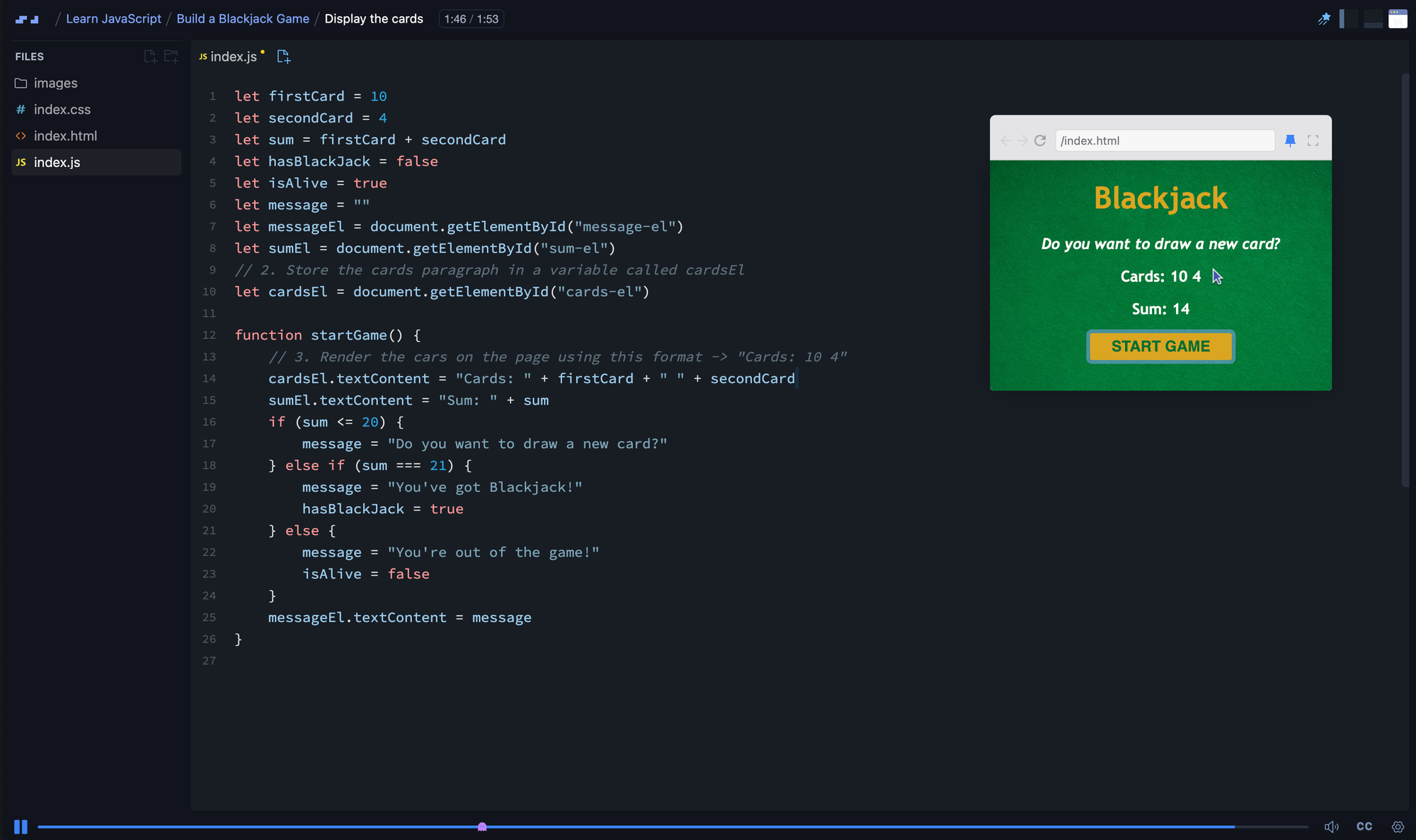
- The free Learn JavaScript course, 9.4 hours with Per Borgen and built with Mozilla's MDN, includes a Blackjack game among its four projects and 140-plus interactive challenges.
- The free Learn React course, 15.1 hours with Bob Ziroll, ends in two capstone builds, Tenzies and Assembly: Endgame, among six projects and 170-plus challenges.
- The free Learn to Code with AI course, 4.5 hours with Guil Hernandez, builds FaceBomp, a Whac-a-Mole-style game, as pure DOM manipulation.
- On Pro, Build a Memory Game in React is the dedicated game build, and React Challenges, 9.8 hours with Daniel Rose, includes games among its 40-plus challenges. CSS Challenges, 2.6 hours with Treasure Porth, sharpens the visual layer, though it stays in CSS and does not cover JavaScript interactivity.
Pro costs $24.50 per month on the annual plan ($294 per year), with student pricing and location-based discounts available. The free courses above include completion certificates, which is unusual. Whichever route you take, ship the games publicly: Scrimba's guide to building a developer portfolio covers how to present them.
Frequently Asked Questions
Can you really learn to code by building games?
Yes, for general programming. Games force you to hold state, handle input, and debug logic you wrote yourself, which is the hard part of learning to code. What building games does not do is teach the databases, APIs, and deployment work most junior jobs involve, so pair game projects with at least one data-driven app.
What is the easiest game to build as a beginner?
Tic-tac-toe. It has no animation, no timing, and no physics, so the entire exercise is arrays, conditionals, and rendering the board from state. Memory match and a quiz app are the natural follow-ups. Save snake until you are comfortable with a game loop, because it is the first build where something moves on its own.
Do I need canvas to build a browser game?
No. Grid-based and turn-based games are usually better as DOM elements, where you get CSS transitions, accessibility, and dev tools that show the board. Canvas is worth the extra work once you have many moving objects, free-form positions, or per-pixel drawing, such as a breakout clone or a platformer.
Are coding games like CodeCombat and Codewars worth it?
They are worth it for drilling syntax and problem solving, especially early on when every line is a struggle. Their limit is that each one supplies the problem, the constraints, and the win condition. None of them leave you with a project to show, so treat them as practice alongside real builds.
Can I learn game development on Scrimba?
Not engine-based game development. Scrimba teaches web development and has no Unity, Godot, C#, or canvas course. It does build games inside its web courses, including Blackjack in Learn JavaScript and a full memory game course in React. For real game development, use Godot, Phaser, or KAPLAY.
Key Takeaways
- Coding games splits into gamified practice and building games yourself. Practice drills syntax; building produces a portfolio.
- Build in this order: tic-tac-toe, memory match, quiz app, snake, breakout, platformer. Add motion only after the logic works.
- A game loop updates state, renders, and reschedules itself with
requestAnimationFrame. Multiply movement by elapsed time so speed does not depend on refresh rate. - Use the DOM for grid and turn-based games. Reach for canvas when you have many moving objects or per-pixel drawing.
- MDN's 2D breakout tutorial is the best free canvas introduction, in ten lessons from drawing to scoring.
- CodeCombat, Codewars, CodinGame, Screeps, Human Resource Machine, and the Codepip CSS games are all worth time, and none of them produce something you can show an employer.
- Scrimba is a web development platform with games inside its courses, not a game development platform, and its free Learn JavaScript and Learn React courses both end in playable builds.
Sources
- MDN Web Docs. "Anatomy of a video game." 2026. https://developer.mozilla.org/en-US/docs/Games/Anatomy
- MDN Web Docs. "2D breakout game using pure JavaScript." 2026. https://developer.mozilla.org/en-US/docs/Games/Tutorials/2D_Breakout_game_pure_JavaScript
- MDN Web Docs. "Canvas API." 2026. https://developer.mozilla.org/en-US/docs/Web/API/Canvas_API
- npm. "phaser registry metadata and weekly download counts." 2026. https://registry.npmjs.org/phaser/latest
- KAPLAY. Official site. 2026. https://kaplayjs.com/
- Godot Engine. Official site. 2026. https://godotengine.org/
- CodeCombat. Self-reported product information. 2026. https://codecombat.com/premium
- Codewars. Self-reported product information. 2026. https://www.codewars.com/
- CodinGame. Official site. 2026. https://www.codingame.com/
- CoderPad. "CoderPad Acquires CodinGame." 2021. https://coderpad.io/press-releases/coderpad-acquires-codingame/
- Valve. "Screeps: World on Steam." 2026. https://store.steampowered.com/app/464350/Screeps_World/
- Tomorrow Corporation. "Human Resource Machine." 2026. https://tomorrowcorporation.com/humanresourcemachine
- Codepip. "Flexbox Froggy." 2026. https://flexboxfroggy.com/
- Codepip. "Grid Garden." 2026. https://cssgridgarden.com/
- CSS Diner. 2026. https://flukeout.github.io/