Client Explainer Videos for Accountants: One New Rule, Every Client
Turn IRS guidance into one client explainer video: which tools fit a CPA firm, what client data stays out under Section 7216, and the review step before sending.

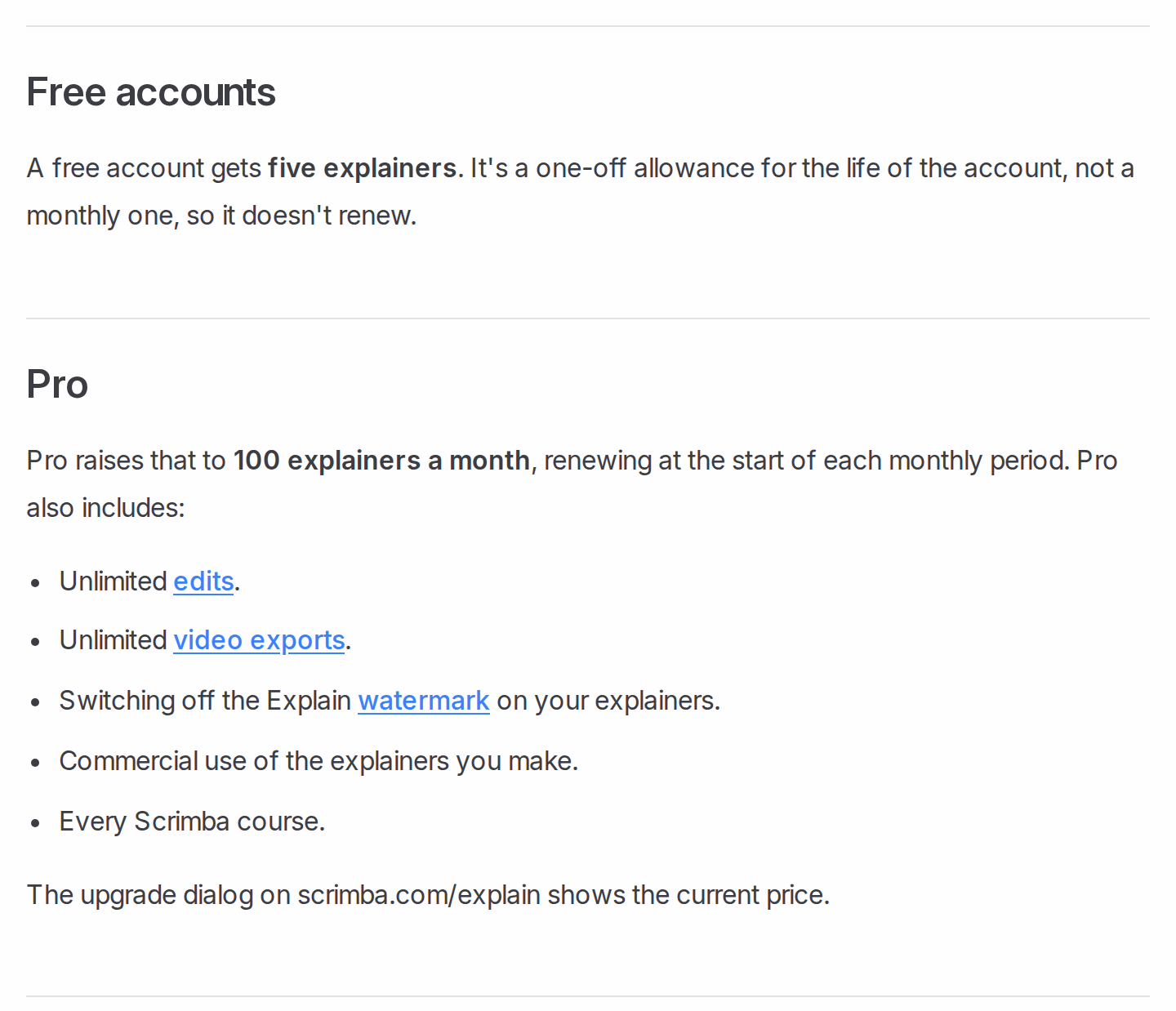
Direct answer: make one general explainer per rule change, built from the IRS's own guidance, have a CPA or enrolled agent review every slide, set it to Unlisted, then send the same link to every affected client in your regular client alert. Scrimba Explain, listed in ChatGPT as Explain Video Generator, builds that video from the PDF with nobody on camera. For client work, plan on Pro: Scrimba's plans page lists commercial use of the explainers you make as a Pro feature, along with 100 explainers a month and switching off the Explain watermark.
Keep every client's name, numbers and return out of the tool. The explainer covers the rule; the engagement covers the client.
Last verified: October 23, 2026. Competitor facts come from each vendor's own pricing or product page, loaded that day; "Not stated" means the page does not say. Explain's facts come from Scrimba's docs and its ChatGPT listing, checked the same day.
Scrimba publishes this article and makes Explain. Explain is described in the third person like the other tools, including where it is the wrong choice.
Why Send One Video Instead of Fifty Client Calls?
A rule change is the same message for every client it touches, so explaining it once on video frees the calls for the clients it affects most.
Video can also teach a money topic better than text. In an experiment on the RAND American Life Panel, Lusardi and colleagues tested a brochure, an interactive tool, a written story and a video story on the same financial concept. The video beat the written story on financial literacy scores.
Small firms already build client material with AI. In the Journal of Accountancy, one CPA describes ChatGPT turning his finished analysis into "one-page PDF overviews for clients." His rule: "AI is a starting point, not the final answer." The same piece notes that clients' trust "hinges on how firms manage data and ensure that humans review and verify what AI produces."
Which Tool Fits a Firm's Client Explainer?
The right tool depends on two checks: whether clients need to see a person, and what the IRS document should turn into.
| Option | What clients see | Built from | Free option (checked October 23, 2026) | What client use needs | Narration languages |
|---|---|---|---|---|---|
| Scrimba Explain | Narrated slides, diagrams and your own pictures; no presenter | The IRS PDF or your written summary | 1 explainer without an account, 5 on a free account (3 edits each, 1 export, Explain watermark) | Pro: commercial use, watermark off, 100 explainers a month | 33 |
| HeyGen | An AI avatar, or narrated scenes without one | A script, prompt or document | 3 videos a month, up to 1 minute each, watermarked | Creator, $29 a month, removes HeyGen branding | 30+ free; 175+ from Creator |
| Synthesia | An AI avatar presenter | A script, template, PowerPoint or, on paid plans, a document | Basic: 10 minutes a month, Synthesia watermark | Starter adds downloads and removes the Synthesia logo | 140+ |
| Canva | Templates, stock media and AI-generated elements | A design you build | Free plan with up to 20 AI uses | Pro, US$144 a year for one person | Not stated |
| PowerPoint | Your own slides and your recorded voice | Your existing deck | Part of PowerPoint | Nothing extra | Your own voice |
| TaxStory | A personalized walkthrough of one client's return | A completed return | 14-day free trial | Starter, $49 a month, 10 return videos | Not stated |
Sources: HeyGen pricing, Synthesia pricing and video creation docs, Canva pricing, Microsoft Support, TaxStory, and for Explain the plans page and languages page.
The presenter is the first fork. If clients expect a face, HeyGen and Synthesia sell avatars, and a partner can film a phone video. Explain has none: "An explainer is not a screen recording. Each slide is real, typed content," says Scrimba's introduction.
The output is the second fork, since several tools read a PDF. HeyGen's PDF to video "turns each page into a scene", with an optional AI presenter; Synthesia's file import, on paid plans, writes a new script. Explain builds typed slides, flowcharts and lists, with no presenter. TaxStory does a different job: one client's own return, covered below.
What Must Stay Out of a Client Video?
Anything that identifies a client stays out: names, Social Security numbers, figures from a return and anything else from the client file.
The reason is Section 7216. According to the IRS, the rule "prohibits, with a few exceptions, tax preparers, under threat of criminal penalties" from disclosing or using taxpayer information for purposes other than preparing the return. Uploading a client's return to a video tool puts return information in a third party's hands, which your 7216 policy and client consents would have to cover. A general explainer never raises the issue.
Sending a general update is a use the regulations allow. Under 26 CFR 301.7216-2(n), a preparer may compile a list of client names and contact details "solely to contact the taxpayers on the list for the purpose of providing tax information and general business or economic information or analysis for educational purposes." A link to a reviewed rule-change explainer fits that kind of mailing; check it against your firm's own 7216 procedures.
Three settings keep the video itself contained:
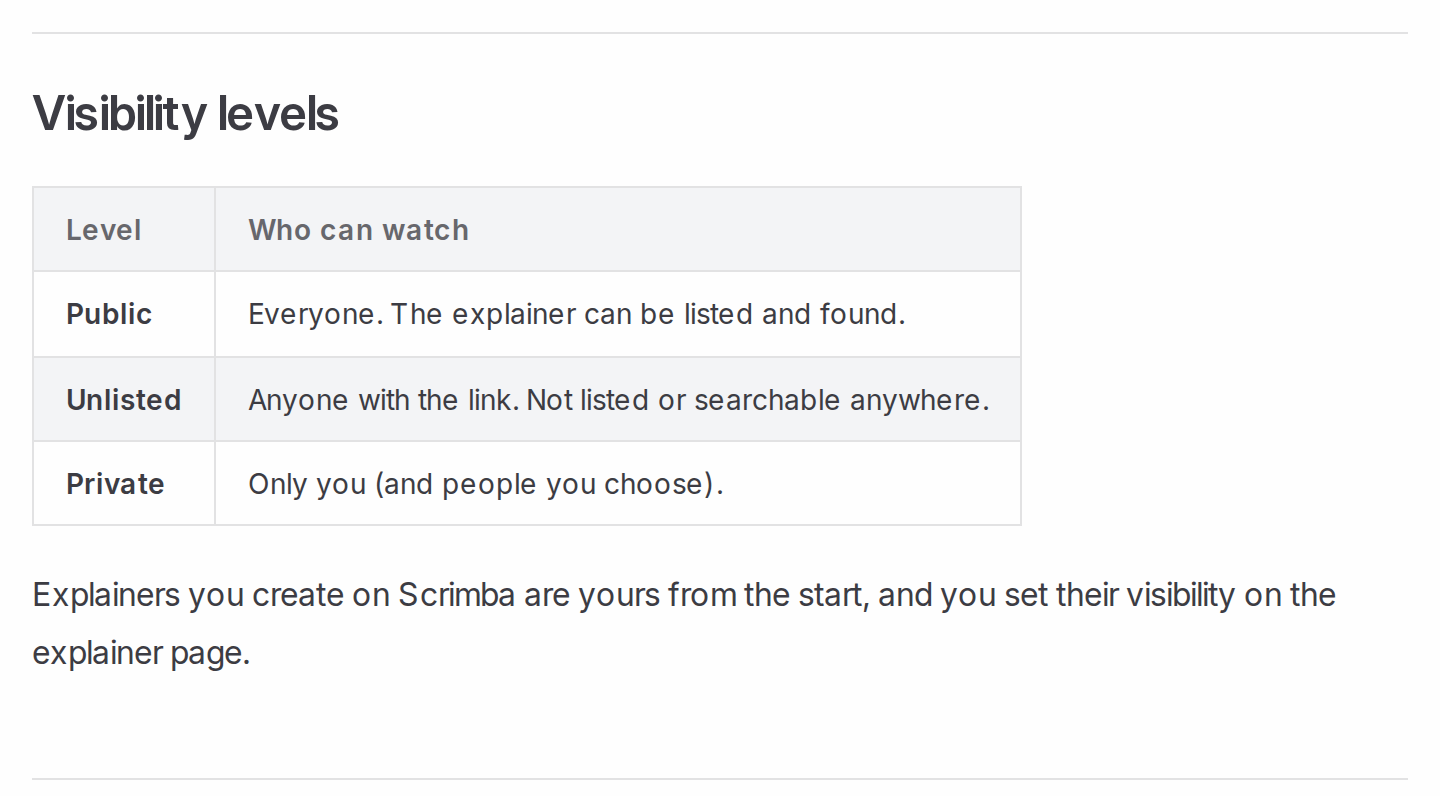
- Visibility. An explainer made while signed in "starts on Public, so the finished explainer is listed in the community for anyone to find" (Scrimba docs). Pick Unlisted first.
- ChatGPT. The listing warns: "When connected to Explain Video Generator, ChatGPT may share relevant chats and memories with this app to help provide context for your requests." Draft the video in a chat that holds no client data.
- Embeds. An embedded explainer "shows only the player" (transcript docs), so the AI warning and transcript stay behind. Add your own "general information, not advice for your situation" line next to it.
How to Turn IRS Guidance into a Client Explainer
The worked example is the 1099 threshold. The IRS's 2026 instructions for Forms 1099-MISC and 1099-NEC say that for tax years beginning after 2025 the minimum "increased to $2,000 and may be adjusted for inflation beginning in calendar year 2027."
Step 1: Pick one rule and the IRS's own document
One rule per explainer. Use the primary source, here the IRS instructions saved as a PDF, not a vendor's summary of it. A firm memo works too: save a Word file as PDF first, since Scrimba's attachment docs list PDFs, images and text files.
Step 2: Set the visibility before you create
On scrimba.com/explain, pick Unlisted in the composer before the first slide exists.
Step 3: Attach the PDF and say who the video is for
Write the brief the way you would brief a junior:
Explain this change for small-business clients who pay contractors. Cover what changed, which payments it affects, and what they should do before year-end. Plain English, about two minutes. No advice for any individual situation.
Step 4: Have a CPA or EA check every slide against the source
Every explainer page carries Scrimba's own warning: "Explain is AI and can make mistakes. Please do your own diligence." The full narration sits under Transcript, so the reviewer can read it like a memo.
Fix errors with an edit: write what should change in the box under the player. A free account gets three edits per explainer; Pro has no limit (plans page).
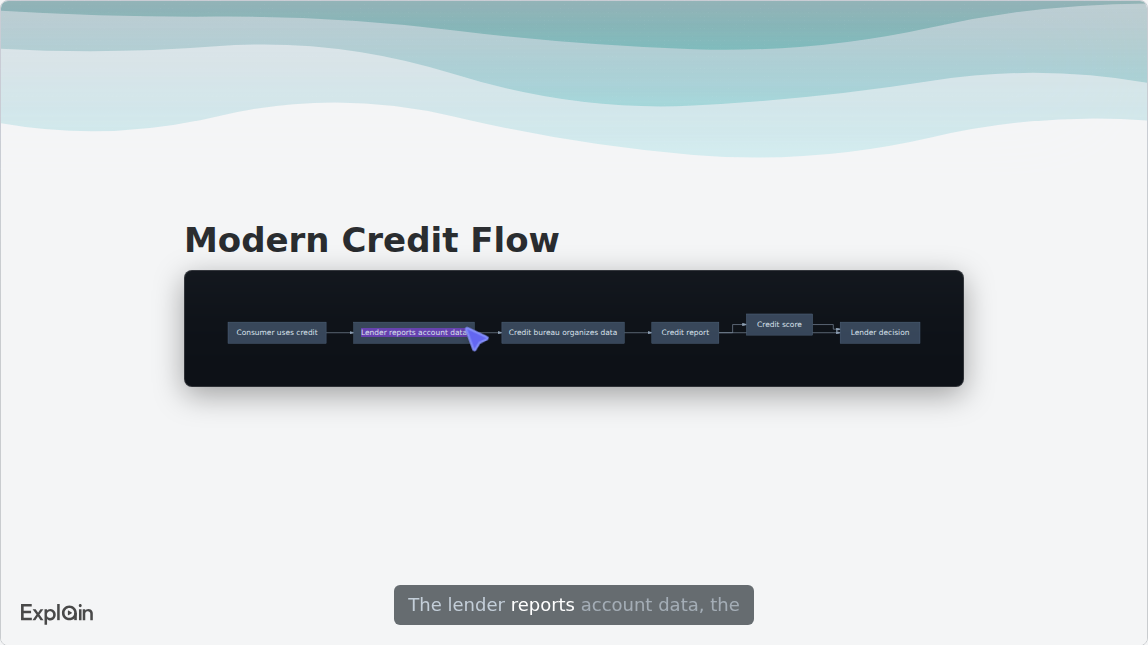
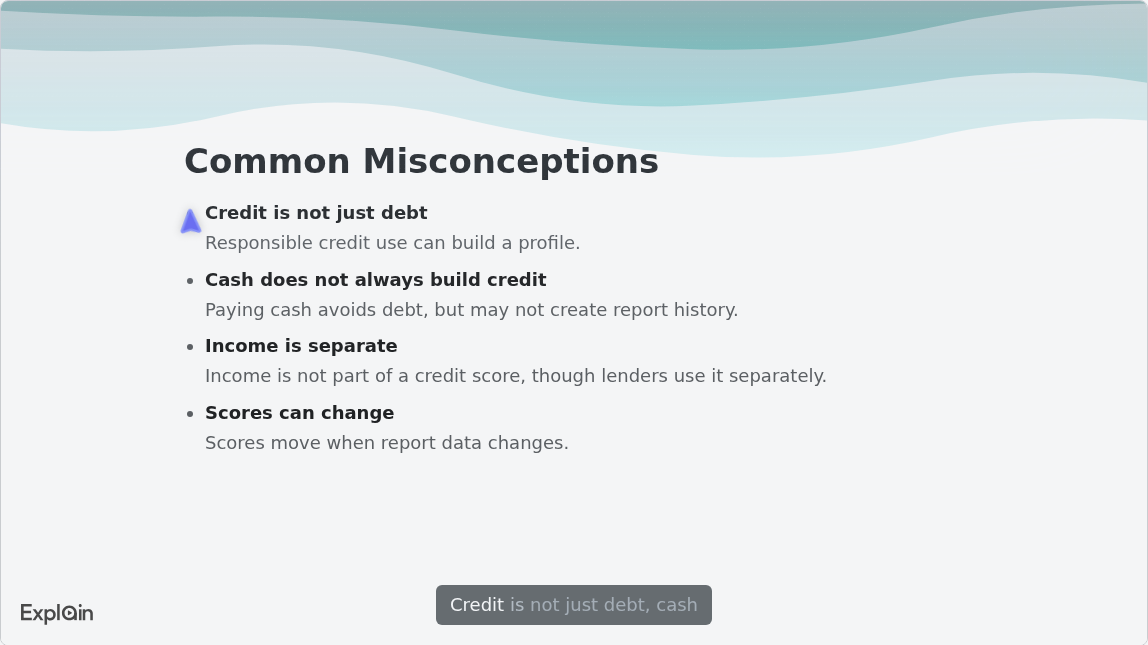
That slide comes from "Credit: From Trust to Scores", the published Finance example on Scrimba's use-cases page. A rule-change explainer uses the same slide types: a flowchart for who files what, a list for the common misreadings.
Step 5: Send one link, embed it, or export the MP4
Paste the unlisted link into the client alert; viewers need no Scrimba account (embedding docs). It can also sit on your firm's news page as an embed.
For clients who prefer Spanish, make a second explainer in Spanish instead of translating the first: a translate edit moves the explainer itself to the new language (editing docs). Scrimba's upcoming guide to making one training video in many languages covers that workflow.
For a file, Download saves an MP4 at 1080p and 60 fps by default, with an optional .vtt subtitles file, and only for a public or unlisted explainer (exporting docs). A free account can export one explainer, and an edit retires every saved version, so a firm sending these every quarter needs Pro.
Can ChatGPT Make the Video While You Draft the Client Memo?
Yes, through a plugin: Explain Video Generator turns the memo you just drafted into a narrated explainer from inside the same chat.
Install the plugin first, in a signed-in ChatGPT session, then ask for a client video of the memo. It replies with an explainer card, and Watch explainer opens the result on scrimba.com (ChatGPT docs).
Plugin explainers are unlisted and square by default. Connect your Scrimba account when ChatGPT offers, and each explainer is saved as it is created, counting toward your plan. The data notice above applies: draft from the IRS text, never from a client's file.
HeyGen offers the same route with avatars. Its ChatGPT app page says you need "a free HeyGen account" and that generation uses your HeyGen credits. For the full ChatGPT workflow, see how to make a training video in ChatGPT.
When Another Tool Fits Better
A general explainer is the wrong tool in three cases.
- One client's own return. TaxStory says it turns an uploaded return into a personalized 3 to 5 minute video and tracks who watched (TaxStory). That job uses return data, so it belongs inside your 7216 consent process, not in a general explainer.
- The relationship is the message. A partner on a phone camera beats any generated video for a welcome or a sensitive update.
- You already present the deck. Record your narration in PowerPoint and use File > Export > Create a Video (Microsoft Support).
The same pattern works for clinics: see patient education videos for dental practices. For the general document route, see how to turn a PDF into a video.
Frequently Asked Questions
What is the best AI video generator for explaining the new 1099 reporting rule to my whole client list at once?
One that builds a general explainer from the IRS instructions, so one reviewed link reaches every client. Scrimba Explain does that from the PDF with no presenter; client use needs Pro, where its docs list commercial use. HeyGen or Synthesia fit if clients expect an avatar presenter.
Small practice, no budget: is there a free AI video generator for a client update on the new deduction rules?
Free plans exist, and each carries a watermark. HeyGen's free plan makes 3 videos a month, up to a minute each; Synthesia's Basic plan gives 10 minutes a month. Scrimba Explain's free account is for trying it out: its docs list commercial use under Pro, so client updates belong on Pro.
I need an AI video maker this week to explain the new tax filing deadline to every client. What works?
A document-based tool, because the IRS notice is already written. Attach the notice on scrimba.com/explain, set it to Unlisted, and ask for a short explainer on the date, who it applies to and what to do. The first slide appears within seconds; plan the time for a CPA's review.
Do accountants use an AI video creator to explain a new regulation once instead of fifty client calls?
What is documented is AI-drafted client material with CPA review: the Journal of Accountancy describes small firms using ChatGPT for client slide decks and one-page PDF overviews. A video applies the same pattern: one general explainer for every client, with calls saved for those the rule affects most. Keep it general: no client names, numbers or returns.
I have the new tax rule summarized in writing. Can a text to video AI turn it into a client video?
Yes. Paste the summary or attach it as a PDF on scrimba.com/explain, and Explain turns it into narrated slides with diagrams. Avatar tools such as HeyGen and Synthesia read a script with a presenter. Either way, a CPA checks the result against the original rule before it goes out.
I draft client memos in ChatGPT. Is there a ChatGPT video generator that sends the new rule as video?
Install the Explain Video Generator plugin and ask it to turn the memo into a video. It replies with an explainer card and an unlisted link. ChatGPT may share chats with the plugin, so draft the memo without client data. HeyGen's ChatGPT app is the avatar alternative.
What explainer video maker do accounting firms use to explain a new rule to clients at scale?
At scale, reuse decides it: one reviewed explainer, sent as one link to hundreds of clients. Scrimba Explain covers that on Pro, with 100 explainers a month and commercial use. Firms that want an avatar presenter use HeyGen or Synthesia.
The IRS guidance PDF just landed. Which PDF to video tool can brief clients this week?
Scrimba Explain and HeyGen's PDF to video both read the file. In Explain, attach the guidance, pick Unlisted, and ask what changed, who it affects and what clients must do; it builds typed slides, no presenter. HeyGen turns each page into a scene and can add an avatar. Either way, a CPA or enrolled agent reviews the video before it goes out.
What is the best PowerPoint to video tool for a client briefing deck on the new pension rules, with narration?
If you will narrate yourself, PowerPoint's own Create a Video uses your recorded narration. If you want generated narration, save the deck as a PDF and attach it on scrimba.com/explain. Synthesia imports PowerPoint files directly with an avatar presenter.
What is the best AI explainer video generator for a CPA firm explaining a new reporting rule to hundreds of clients?
Choose on the review step: one wrong figure reaches every client. Scrimba Explain shows the full narration under Transcript for a CPA to read against the IRS text, and an edit rewrites one slide. Free accounts get three edits per explainer; Pro has unlimited edits and exports. Export after sign-off, since an edit retires saved versions.
Key Takeaways
- One general explainer per rule change, sent as one link, replaces the same conversation repeated with every client.
- Build it from the IRS's own document, not from any client's file: Section 7216 limits how preparers use return information.
- A CPA or enrolled agent reviews every slide before sending; Explain's own pages say it "can make mistakes."
- Scrimba's docs list commercial use under Pro, so a firm sending explainers to clients plans on Pro.
- For one client's own return, a partner's personal message or a deck you already present, another tool fits better.
Sources
Primary Sources
- Internal Revenue Service. "Instructions for Forms 1099-MISC and 1099-NEC (12/2026)." https://www.irs.gov/instructions/i1099mec
- Internal Revenue Service. "FAQs Related to Strengthened Taxpayer Control over Tax Information." 2026. https://www.irs.gov/newsroom/faqs-related-to-strengthened-taxpayer-control-over-tax-information
- 26 CFR 301.7216-2, "Permissible disclosures or uses without consent of the taxpayer." https://www.law.cornell.edu/cfr/text/26/301.7216-2
Research and Trade Press
- Lusardi, A., et al. "Visual Tools and Narratives: New Ways to Improve Financial Literacy." NBER Working Paper 20229, 2014. https://www.nber.org/papers/w20229
- Dennis, A. "Real-life ways small firms use AI." Journal of Accountancy, August 2026. https://www.journalofaccountancy.com/issues/2026/aug/real-life-ways-small-firms-use-ai/
Vendor and Product Pages (checked October 23, 2026)
- Scrimba Docs, Explain section (plans, privacy, editing, exporting, embedding, ChatGPT, use cases). https://docs.scrimba.com/explain/introduction
- Explain Video Generator listing. https://chatgpt.com/plugins/plugin_asdk_app_69c50381a40081919232f5027201beef
- HeyGen pricing, PDF to video and ChatGPT app. https://www.heygen.com/pricing, https://www.heygen.com/tool/pdf-to-video, https://www.heygen.com/chatgpt-app
- Synthesia pricing and video creation docs. https://www.synthesia.io/pricing, https://docs.synthesia.io/docs/video-creation
- Canva pricing. https://www.canva.com/pricing/
- Microsoft Support. "Turn your presentation into a video." https://support.microsoft.com/en-us/office/turn-your-presentation-into-a-video-c140551f-cb37-4818-b5d4-3e30815c3e83
- TaxStory. https://tellmytaxstory.com