How to Turn a Client Methodology into Training Videos
Turn a consulting methodology or client report into short training modules: decide on tracking first, build one lesson per step, then hand over links or MP4s.

Direct answer: turn each step of the methodology into one short narrated lesson, build the lessons as one playlist, have the engagement lead sign off every lesson, then hand the client one link or one MP4 per lesson. Settle tracking before you build anything: if the client must prove who completed the training, make the modules in a tool with SCORM export, such as Colossyan from its Professional plan, HeyGen on Business or Synthesia on Enterprise.
If the client only needs a library its team will watch, Scrimba Explain, listed in ChatGPT as Explain Video Generator, builds that playlist from the steps you describe, with nobody on camera. For client delivery, plan on Pro: Scrimba's plans page lists commercial use and unlimited video exports under Pro.
Last verified: October 23, 2026. Plans and prices come from each vendor's own pricing or documentation page, loaded that day; "Not stated" means the page does not say. Explain's facts come from Scrimba's docs, checked the same day.
Scrimba publishes this article and makes Explain. Explain is described in the third person like the other tools, and it has no SCORM export, no completion tracking and no presenter.
Why Do Client Teams Finish Modules but Skip the Report?
Short modules give a busy client team one idea at a time and a clear stopping point, which a 40-page report never does.
The learning research backs the split. In her review of video design, Cynthia Brame explains that segmenting "allows learners to engage with small pieces of new information and gives them control over the flow of new information." Her guideline is concrete: multiple videos for a lesson, each 6 minutes or less. She cites edX data from 6.9 million viewing sessions in which median engagement stayed close to 100% for videos under 6 minutes and fell to about 20% for videos of 12 to 40 minutes.
Format alone does not transfer a methodology, though. In 96 ERP projects, Ko, Kirsch and King found that knowledge, motivation and communication all shaped what moved from consultants to clients. Modules carry the communication part; the client still needs a reason to watch and someone to ask.
What Does the Client Need You to Hand Over?
The handover decides the tool: a module library to watch, a tracked course in the client's LMS and a narrated deck by Friday each need a different one.
| What the client asked for | Best fit | Plan it needs (checked October 23, 2026) | What you hand over |
|---|---|---|---|
| A short module library the team watches, no tracking | Scrimba Explain playlist | Pro for client delivery: commercial use, unlimited exports and edits, 100 explainers a month | A link per lesson or to the whole playlist, embeds, or one MP4 per lesson |
| Completion records in the client's LMS | Colossyan, HeyGen or Synthesia | Colossyan Professional (5 SCORM exports a month); HeyGen Business, $149 a month; Synthesia Enterprise | A SCORM package per module |
| A quiz or branching scenario inside each video | Colossyan | Free Starter: 10 interactive videos a month | Interactive videos |
| A presenter on screen | HeyGen or Synthesia | HeyGen Creator, $29 a month, removes HeyGen branding; Synthesia Starter adds downloads | Avatar videos |
| The workshop deck, narrated, by Friday | PowerPoint's own video export | Part of PowerPoint; you record the narration | One MP4 per section of the deck |
| The same modules for offices in other languages | Synthesia or HeyGen, or one Explain lesson per language | Synthesia lists 140+ languages and voices; HeyGen 175+ from Creator; Explain narrates in 33 | One set of modules per language |
Sources: Colossyan pricing, HeyGen pricing, Synthesia pricing, Microsoft Support, and for Explain the plans page and languages page.
Settle the tracking row first. SCORM governs how training content is packaged and how it "talks" to the LMS while it plays, the part Rustici Software calls delivery and tracking. That link is what records a completion. An MP4 or an embed plays inside a client's course and reports nothing on its own, and Explain counts only views and likes (Scrimba docs).
A methodology is a set of steps and reasons, which is the job a narrated explainer does: "An explainer is not a screen recording. Each slide is real, typed content" (Scrimba's introduction).
For the language row, plan one lesson per language: a translate edit moves an explainer itself to the new language (editing docs). Scrimba's upcoming guide to making one training video in many languages covers that workflow.
How to Turn a Methodology into Modules, Step by Step
The five steps below build a module library in Scrimba Explain. Course creators selling their own material should follow how to turn course material into video modules instead; a consulting handover adds the client-data and sign-off steps.
Step 1: Map one module to each step of the framework
Write the module list before you open any tool. One step of the framework, one decision rule or one section of the report becomes one lesson, aimed at Brame's six-minute ceiling. If a section needs longer, split it in two.
No explainer length limit is documented, so never expect one lesson to cover a 40-page report; shorter sections also speed up the Step 4 review.
Step 2: Strip the client out of the source
Remove client names, figures and anything confidential from the source. The modules teach the method; the client's own data stays in the engagement. Check your engagement letter before reusing one client's modules for the next.
Save the cleaned framework as a PDF. Scrimba's attachment docs list PDFs, images and text files, so save a Word file as PDF first.
Step 3: Build a playlist, with the visibility set first
On scrimba.com/explain, switch the composer to playlist mode and describe what the playlist should teach: list the framework's steps and ask for one lesson per step. Explain plans the lessons itself (playlists docs), so check its lesson list against your Step 1 map. An explainer made while signed in "starts on Public, so the finished explainer is listed in the community for anyone to find" (Scrimba docs), so pick Unlisted before you create.
To build a module from one section of the cleaned PDF, make it a single explainer with that section attached.
Pick the frame once: all lessons share it, and wide suits a client team on laptops. Each lesson draws on your plan's allowance, so a free account's 5 explainers can run out inside one methodology.
Step 4: Have the engagement lead review every lesson
Every explainer page carries Scrimba's warning: "Explain is AI and can make mistakes. Please do your own diligence." The full narration sits under Transcript (transcript docs), so the lead can read each lesson like a memo.
Fix a slide with an edit: write what should change in the box under the player. A free account gets three edits per explainer; Pro has no limit (plans page).
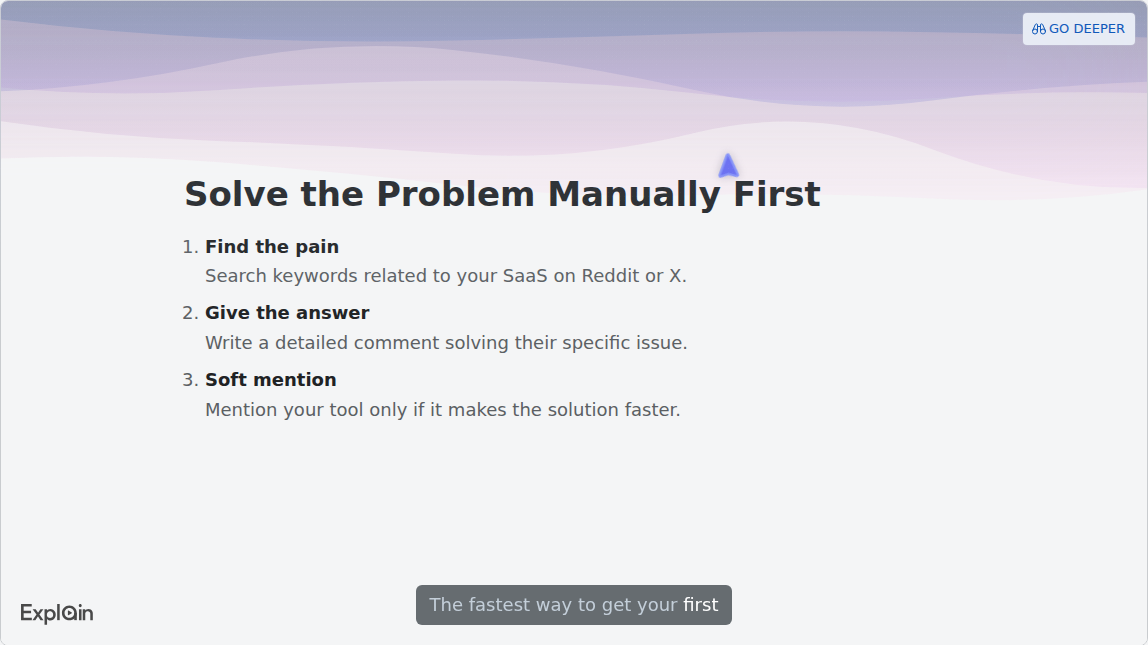
That slide comes from "Zero-Budget SaaS Growth", the Careers example on Scrimba's use-cases page: a published strategy lesson with a numbered slide per step. A framework module looks the same. The lesson ends with a quiz:
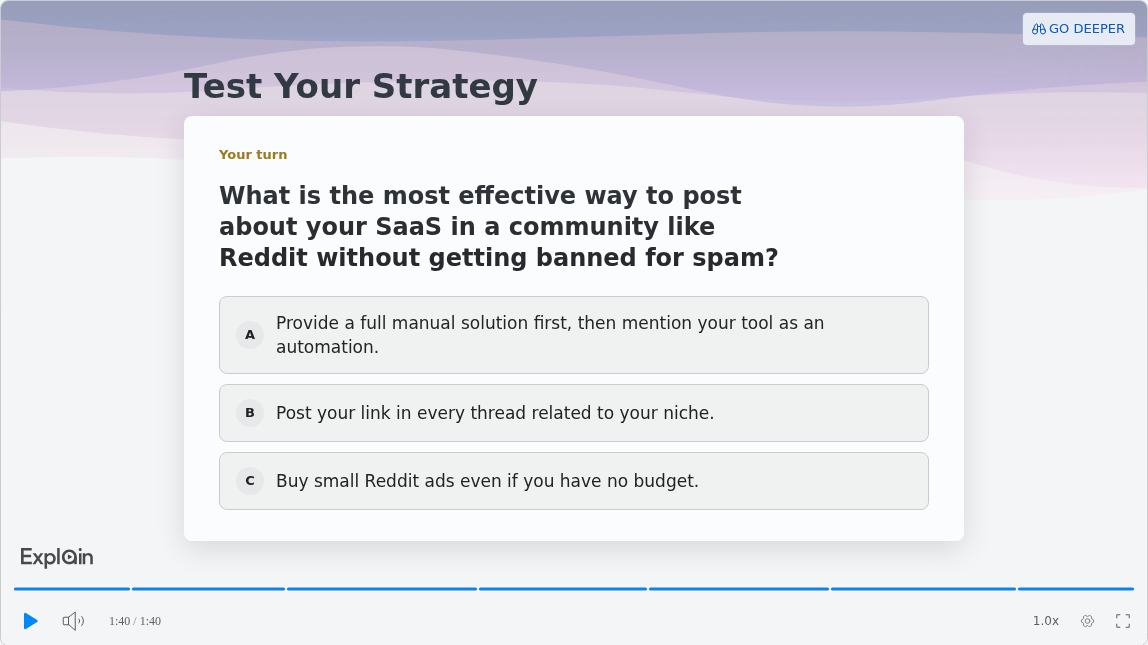
Quizzes like this appear in explainers made on scrimba.com and are, in Scrimba's words, "a ten-second check that you understood the lesson, not an exam" (quiz docs). Scrimba documents no report that sends those answers to you or the client.
Step 5: Hand over links, embeds or MP4s
Each lesson has its own URL, so you can send one lesson or the whole playlist. Lessons also embed on the client's intranet or inside an LMS page, and viewers need no Scrimba account (embedding docs).
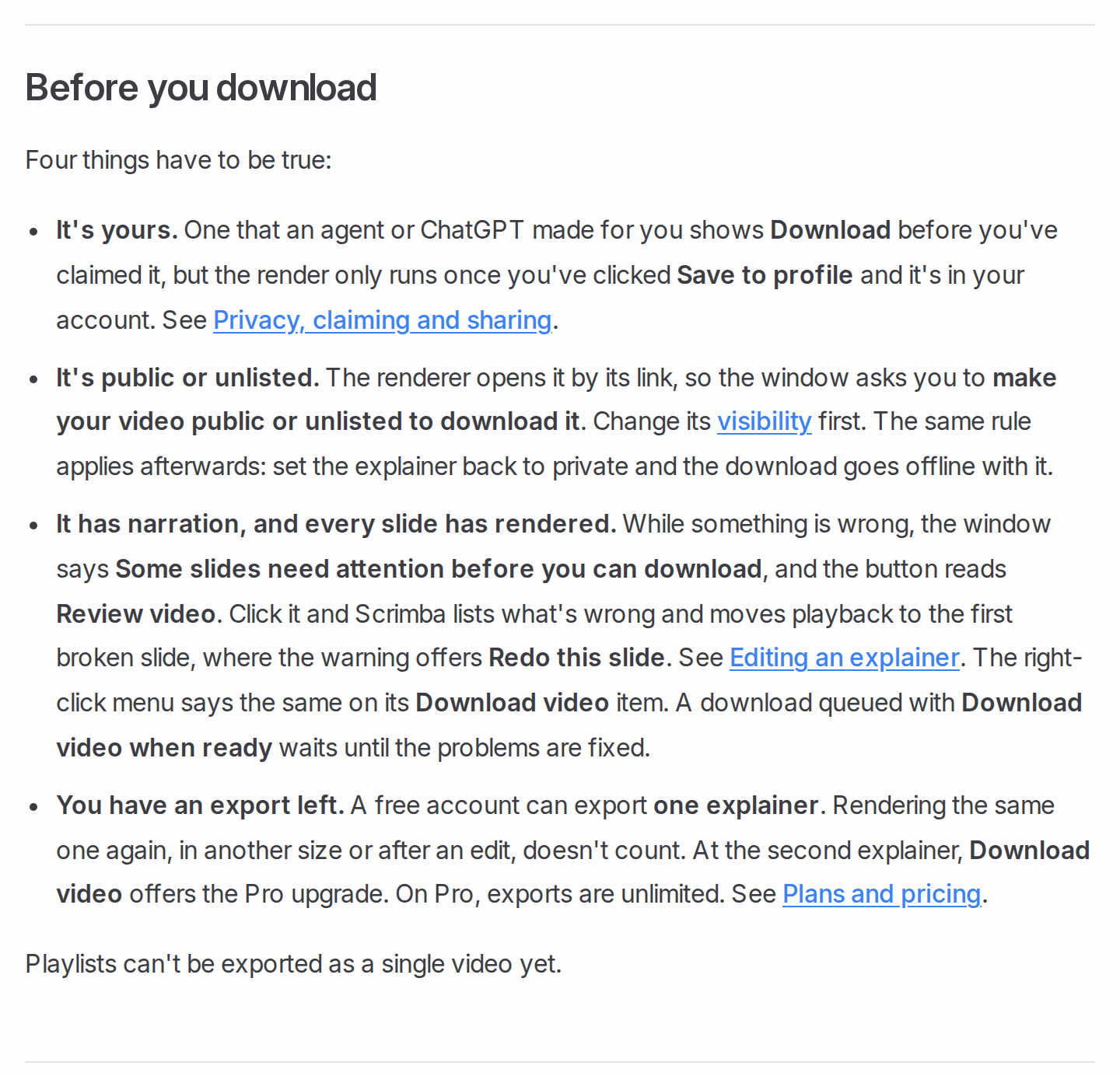
For files, export one MP4 per lesson: 1080p at 60 fps by default, only for a public or unlisted explainer. A free account can export one explainer, and "Playlists can't be exported as a single video yet" (exporting docs). An edit retires every saved version, so export after sign-off.
In a Scrimba workspace, "Move to workspace" moves a playlist with all its lessons; members can then edit them, but only the creator and workspace admins can change visibility or export (privacy docs).
Can You Build the Modules in ChatGPT, Where the Client Work Already Lives?
Yes, one module per message: the Explain Video Generator plugin turns each pasted section of the cleaned framework into its own narrated explainer.
Install the plugin first in a signed-in ChatGPT session. Then work down your Step 1 list, one section per message, and ask for a wide frame: plugin explainers are square unless you ask otherwise (ChatGPT docs). A framework diagram uploaded to the chat can go on a slide.
Unlike the playlist route, each message makes a separate explainer, so you send the links in order yourself, and no module gets the quiz above: quizzes appear only in explainers made on scrimba.com.
Connect your Scrimba account when ChatGPT offers, and each module is saved as it is made. Read the listing's notice: "When connected to Explain Video Generator, ChatGPT may share relevant chats and memories with this app to help provide context for your requests." Keep only the cleaned framework in that chat. More on this route: how to make a training video in ChatGPT.
When Another Tool Fits Better
A narrated module library is the wrong deliverable in five cases:
- The client must report completions. Build in a SCORM tool; Explain's MP4s can still sit inside the course as supporting video.
- The training is practice, not explanation. Colossyan's free plan includes 10 interactive videos a month with quizzes and branching; Explain's end-of-lesson quiz is a self-check.
- The partner's face carries the relationship. Record a short welcome yourself, or use a HeyGen or Synthesia avatar.
- The workshop itself was the product. Record the live session, or narrate the deck in PowerPoint and use File > Export > Create a Video (Microsoft Support).
- One rule for many clients, not one method for one client. That is a single explainer, covered in client explainer videos for accountants.
For a wider avatar comparison, see Synthesia and HeyGen alternatives for internal training videos. For decks, see how to turn a slide deck into a video; Scrimba's upcoming guide to Google Slides goes deeper on decks built there.
Frequently Asked Questions
Can an AI video generator turn our client methodology into short modules the client team will actually finish?
Yes, if each module covers one step and stays under about six minutes. In Scrimba Explain, describe the steps in playlist mode and ask for one lesson per step; Explain plans the lessons, so check them against the framework. Finishing is not tracked, though: if the client needs completion records, build the modules in a SCORM tool such as Colossyan.
What is the best free AI video generator for a small agency that cannot expense another seat?
Free plans exist, each with limits. Colossyan's free Starter gives 20 minutes a month with its branded overlay; HeyGen's free plan makes 3 watermarked videos of up to a minute. Scrimba Explain's free account holds 5 explainers and 1 export for testing; its docs list commercial use under Pro.
Which AI video maker can turn a client report into three short modules we can deliver Friday?
Split the report into three sections first, then build one lesson per section. The first slide of each lesson appears within seconds, so most of the time goes into the engagement lead's review. Export one MP4 per lesson on Pro, or send three unlisted links.
As an agency, what is the best AI video creator for turning a strategy deliverable into client modules?
It depends on the handover. For a module library the client team watches, Scrimba Explain on Pro builds narrated lessons from the deliverable with diagrams and no presenter. For tracked modules inside the client's LMS, choose Colossyan, HeyGen Business or Synthesia Enterprise for SCORM export.
We deliver written frameworks to clients. What text to video AI turns those into modules they will watch?
On scrimba.com/explain, describe the steps in playlist mode and ask for one lesson per step, or attach one section's PDF per explainer. Explain writes the narration and draws flowcharts and lists. For your exact wording read by an avatar, Synthesia's Import a script keeps it as-is on paid plans.
We run client work in ChatGPT. Which ChatGPT video generator turns a methodology into modules?
Explain Video Generator, once installed, makes one module per message from the section you paste. Ask for a wide frame for laptop viewing and send the links in order. ChatGPT may pass relevant chats to the plugin, so paste only the cleaned framework. If the modules need quizzes, build them on scrimba.com.
Which explainer video maker turns a client methodology into modules we can hand over?
Scrimba Explain hands over cleanly: each lesson has its own link, embeds without a viewer account, and exports as an MP4 on Pro. Playlists cannot export as one video, so the client receives one file per module. For SCORM packages, use Colossyan, HeyGen or Synthesia.
What is the best PDF to video tool for a 30 page client report delivered as short modules?
Split first: 30 pages make better modules as sections. Scrimba documents no length limit for an explainer, so attach one section per explainer; each becomes a module with its own link. HeyGen's PDF to video turns each page into a scene and can add an avatar; Synthesia's file import needs a paid plan.
How do consultancies turn a 40 page client report into explainer videos? Is there a generator for that?
Yes: HeyGen, Synthesia and Scrimba Explain all build video from a document. The work is around it: strip client names and figures, map one section to one module, and have the engagement lead check each module against its section. Synthesia's import writes a new script that "does not carry over the original text or structure", in its docs' words.
Which PowerPoint to video tool fits a client workshop deck we deliver as modules on Friday?
Split the deck by section; each section is one module. Synthesia's free plan imports a PowerPoint into a narrated video, but its pricing page lists downloads under Starter. For typed slides instead, save each section as a PDF and build one Scrimba Explain lesson from it. To keep your own voice, record it in PowerPoint and use Create a Video.
Key Takeaways
- Decide on tracking first: completion records need SCORM, which Colossyan, HeyGen Business and Synthesia Enterprise export and Scrimba Explain does not.
- Strip client names and figures from the source; the modules teach the method, not the client's data.
- Build one lesson of six minutes or less per step, as one playlist set to Unlisted first, and have the engagement lead review every lesson.
- Hand over links, embeds or one MP4 per lesson; playlists do not export as a single video.
- Scrimba's docs list commercial use and unlimited exports under Pro, so client delivery plans on Pro.
Sources
Research and Standards
- Brame, C. J. "Effective Educational Videos: Principles and Guidelines for Maximizing Student Learning from Video Content." CBE: Life Sciences Education, 2016. https://www.lifescied.org/doi/10.1187/cbe.16-03-0125
- Ko, D.-G., Kirsch, L. J., King, W. R. "Antecedents of Knowledge Transfer from Consultants to Clients in Enterprise System Implementations." MIS Quarterly 29(1), 2005. https://aisel.aisnet.org/misq/vol29/iss1/5
- Rustici Software. "SCORM Explained." https://scorm.com/scorm-explained/
Vendor and Product Pages (checked October 23, 2026)
- Scrimba Docs, Explain section (playlists, plans, exporting, privacy, quizzes, ChatGPT, use cases). https://docs.scrimba.com/explain/introduction
- Explain Video Generator listing. https://chatgpt.com/plugins/plugin_asdk_app_69c50381a40081919232f5027201beef
- Colossyan pricing. https://www.colossyan.com/pricing
- HeyGen pricing and PDF to video. https://www.heygen.com/pricing, https://www.heygen.com/tool/pdf-to-video
- Synthesia pricing and video creation docs. https://www.synthesia.io/pricing, https://docs.synthesia.io/docs/video-creation
- Microsoft Support. "Turn your presentation into a video." https://support.microsoft.com/en-us/office/turn-your-presentation-into-a-video-c140551f-cb37-4818-b5d4-3e30815c3e83