Free AI Video Generators [2026]
Every free AI video generator re-checked on its vendor's own page: allowance, resolution, watermark, commercial use and what expires, plus the free explainer option.

![Free AI Video Generators [2026]](/articles/content/images/size/w1200/2026/08/126-hero.jpg)
Short answer: yes, you can make AI video for $0 in 2026, but every free tier withholds something. CapCut calls its generator "completely free" and publishes no cap. Canva, Adobe Express and Runway allow commercial use of free output but ration it hard, and Pika's free plan now includes 0 credits. To explain something from your own material, such as a client update or a pharmacology chapter, Scrimba Explain (listed in ChatGPT as Explain Video Generator) is free to start: one explainer without an account, ten on a free account and 100 a month on Pro. Scrimba publishes this article and makes Explain.
Last verified September 28, 2026, on each vendor's own pricing, help or terms page, linked from its table row. "Not stated" means that page does not say.
What Does "Free" Actually Mean in AI Video?
A free AI video tier is a metered sample of a paid product, restricted on five axes at once:
- Allowance. Credits, minutes, or a video count: the number the vendor advertises, and usually the only one a roundup reports.
- Resolution cap. Free plans export small. 1080p or 4K is often the first thing an upgrade buys.
- Watermark. Vendor branding burned into the output, and the most common reason people pay.
- Queue priority. Free generations wait. HeyGen sells standard, fast and faster processing as ascending tiers, and Hailuo lets free users queue three tasks against five for paying ones.
- Commercial use. Whether the output may appear in client work, an ad, a product, or anything monetized.
Video burns GPU time per second of output, so free tiers are thinner here than in writing or image tools.
The credit count is on the pricing page. The commercial-use line is in the terms. Only one of them can cost you a client.
The 2026 Free Tier Comparison Table
This category changes monthly, so confirm on the linked page before you build on it.
| Tool | Free allowance | Resolution | Watermark | Commercial use | What expires |
|---|---|---|---|---|---|
| Scrimba Explain | 1 explainer without an account, 10 on a free account | MP4 at 2560×1440 once in your account | Not stated | Not stated | The 10 never renew |
| CapCut | No number published | Not stated | None, per CapCut | Per asset | Not stated |
| Canva | Up to 20 AI uses a month, silent clips of a few seconds | Not stated | Not stated | Yes | Resets on the 1st |
| Adobe Express | 2 lifetime 5-second clips | 4K is Premium only | Not stated | Yes | Never resets |
| Runway | 125 one-time credits, about two 5-second clips | 4K upscaling is paid | Yes | Yes | Credits never expire |
| Pika | 0 credits a month, packs only | Not stated | No | No | Bought credits expire after 365 days |
| Kling | No monthly or daily credits | 1080p is paid | Yes | No | Bought credits last 2 years |
| Google Flow | 50 credits a day | No 1080p upscaling | SynthID always, visible mark is a setting | Silent | Daily, no rollover |
| Hailuo | One-time welcome credits | Not stated | Yes | No | Welcome credits expire after 3 days |
| Synthesia | Up to 10 minutes of video a month | No downloads on Basic | Logo on every video | Silent, moot without export | Monthly |
| HeyGen | 3 videos a month, 1 minute each | 1080p is paid | Yes | No | Monthly |
| Descript | 60 media minutes a month, 100 one-time AI credits | 720p | Yes | Yes, you own the output | Monthly |
The biggest change: Pika, singled out in this article's August version for granting commercial use on its free plan, now gives free accounts no credits and no license.
Three audiences have their own page. Teachers: what is actually free for teachers. Training teams: AI video generators for training videos. Course creators: AI video generators for online courses.
Generative Video Models: Runway, Pika, Kling, Google Flow, and Hailuo
Generative models invent footage from a prompt or an image, and their free allowances run out fastest because every second of output is billed compute.
Runway is the most transparent and the most quickly exhausted. Its pricing page gives the free plan 125 one-time credits, and Gen-4.5 uses 12 credits per second, so that is about two five-second clips. Not per month. Ever. The credits do not expire, and Runway's usage rights page calls your generations "yours to use without any non-commercial restrictions from us."
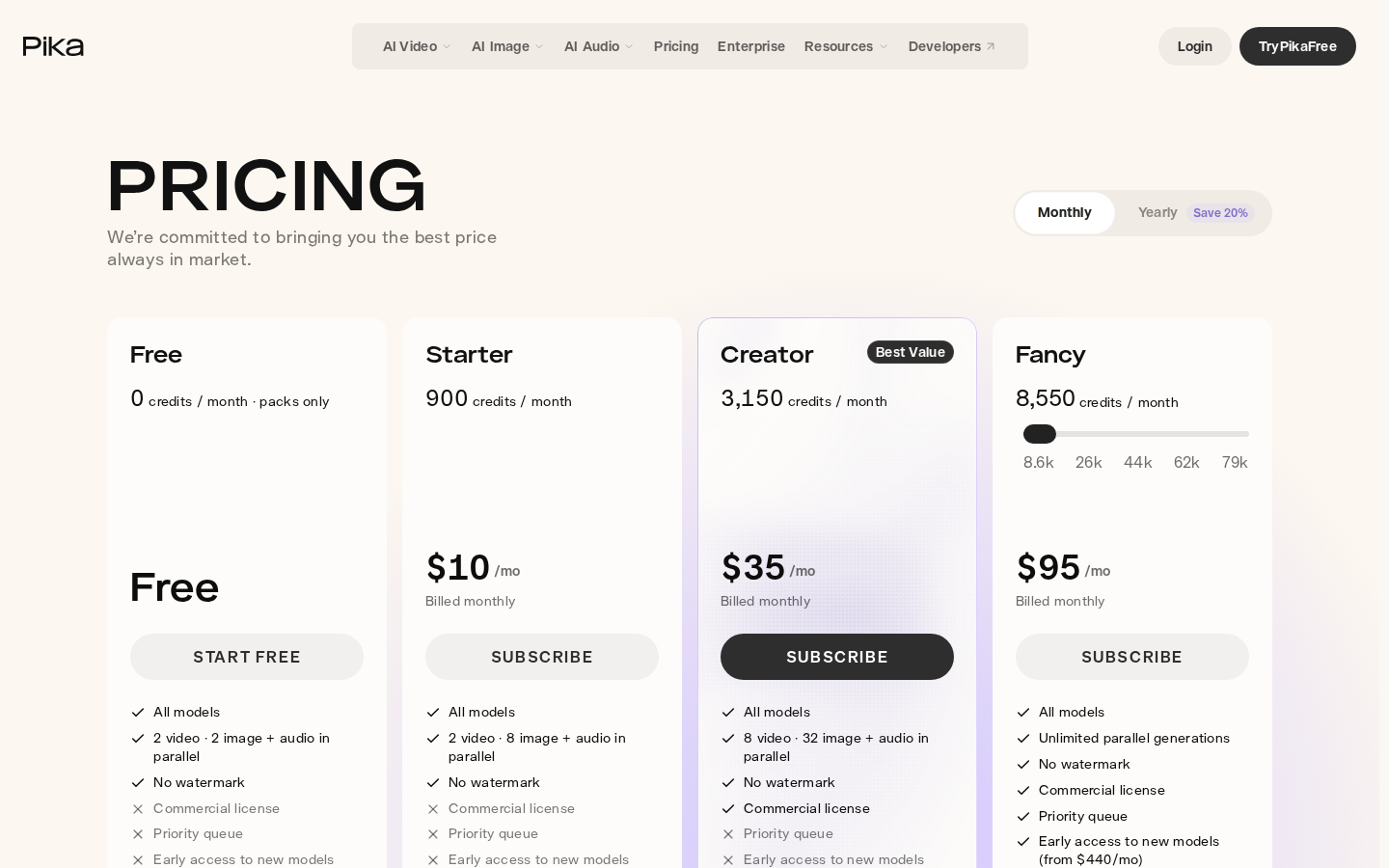
Pika changed the most since August. Its pricing page now lists Free at 0 credits a month, "packs only", so you buy credits before generating anything. Output has no watermark, but the commercial license starts on Creator at $35 a month, and Pika's terms limit everyone else to "personal, noncommercial use".
Kling lists Free at $0 on its membership plan page with no monthly credits, and marks commercial use, 1080p and watermark removal as paid. Its Credits Policy now describes daily login credits as something "Kling subscribers can claim", so a free account runs on bought credits.
Google Flow looks generous and hides a ceiling. Google's credits page gives non-subscribers 50 credits a day with no rollover. A Veo 3.1 Lite clip costs 10, but Quality costs 100, so a free user never reaches it. Non-subscribers get no 1080p upscaling and "may not be able to generate videos" from roughly 2 PM to 5 PM UTC. Every output carries an invisible SynthID watermark, per Flow's getting started page.
Hailuo's subscription terms give new accounts one-time welcome credits that expire three days after they are granted, put a watermark on free downloads, and grant commercial rights only for content made "on a paid subscription plan."
Two names have left the free list. OpenAI's help center dates Sora's web and app shutdown to April 26, 2026 and its API shutdown to September 24, 2026. Luma's pricing page lists no free plan, only paid tiers from $30 a month.
Avatar, Editing and Template Tools
Synthesia runs the strangest free plan in the category. Its pricing page gives Basic 1,200 credits a month, up to 10 minutes of video, but its help center confirms the Synthesia logo appears on all videos and Basic users are unable to download videos. Commercial rights are academic when nothing leaves the browser.
HeyGen has the harshest free terms, and they are not on the pricing page. That page offers 3 one-minute videos a month; section 4 of HeyGen's terms limits free output to "personal, non-commercial, and internal evaluation purposes" and rules out client work by name. Watermark removal and 1080p start on Creator at $29 a month.
Descript edits footage rather than generating it, so its free plan goes further: 60 media minutes a month and 100 one-time AI credits, exported at 720p with a watermark. Its terms give you ownership of generated output on every plan.
Canva is easy to misread, because its free video depends on the quality tier. Canva Free generates video at the Premium quality tier, without audio, inside up to 20 AI uses a month, and a Magic Media clip runs 4 seconds. Video with audio needs Ultra, and the AI access page gives Canva Free "No access to Ultra AI tools", including Canva AI's "Create a video clip". Its AI video generator page allows output "for any purpose, including personal or commercial projects."
Adobe Express is a free editor with a token of generative video: its plan table gives Free "2 free lifetime uses" of the 5-second generator, marks Commercial Use as included, and keeps 4K export for Premium.
CapCut calls its desktop tool, which turns a script into a voiced video, "completely free" with "no hidden fees or watermarks" on its free AI video generator page, and publishes no allowance. The catch is licensing, below.
The Explainer Option: A Narrated Lesson From Your Own Material
There is a fourth shape that roundups leave out: you give it a topic or a document and get a narrated walkthrough back, with nothing filmed and no presenter on camera.
Scrimba Explain works this way. In ChatGPT it is listed as Explain Video Generator, tagline "Free AI explainer video maker", and it turns "a topic, a document, a webpage, a codebase or a product brief" into a video with voiceover, diagrams and animations, narrated in 33 languages. On scrimba.com/explain you can upload PDFs, Word documents or images, and coding agents such as Claude Code connect over MCP.
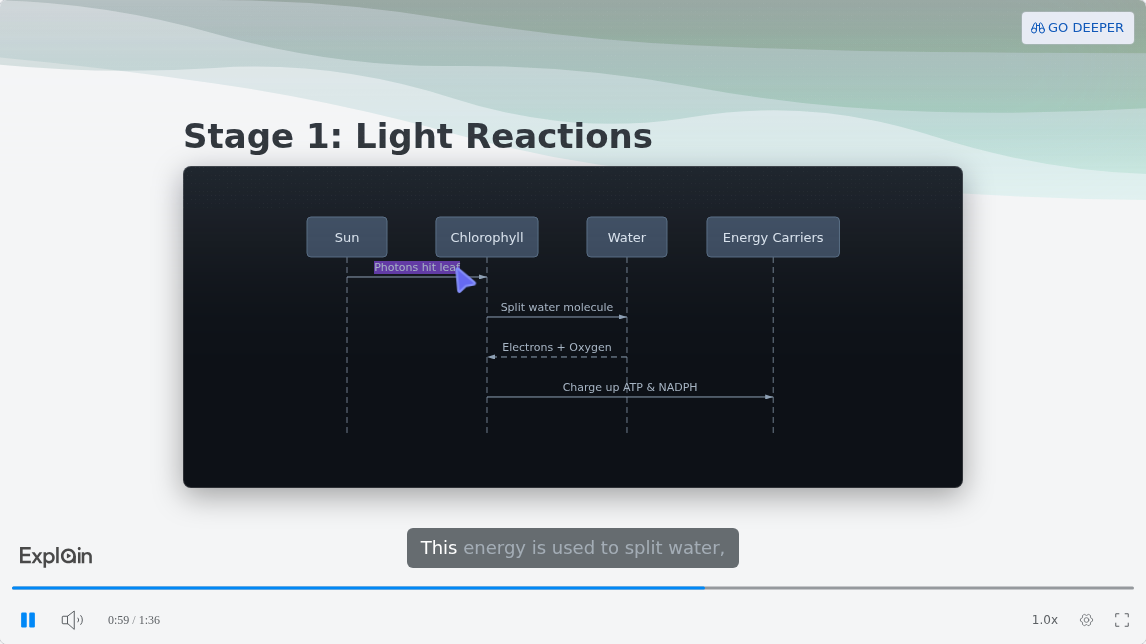
Scrimba's use-case page links one published example per topic. The Education one, How Photosynthesis Works, runs about a minute and a half, from a chloroplast animation to a sequence diagram of the light reactions. That is one lesson's length, not a fixed format.
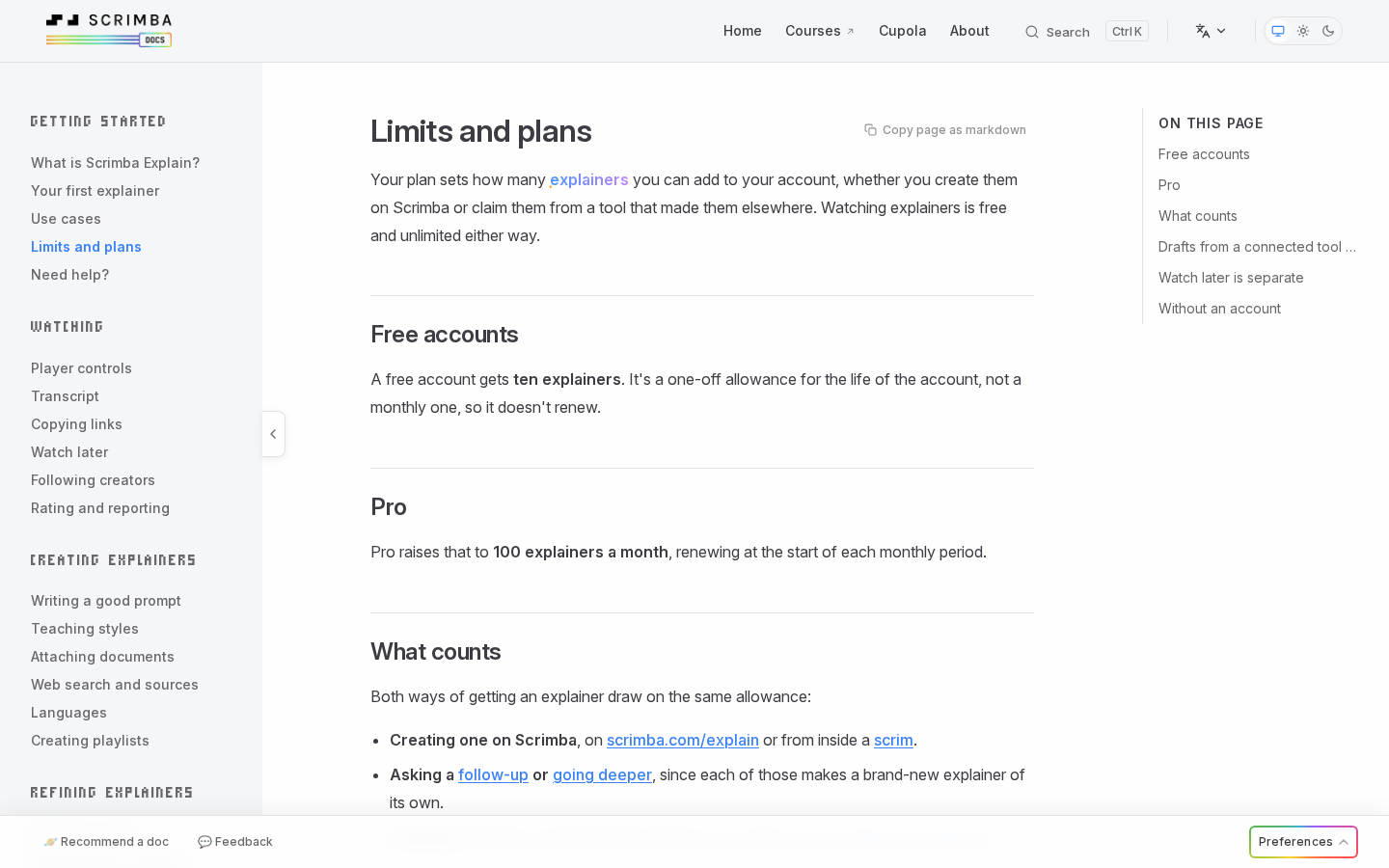
What free means here. Scrimba's limits page gives one explainer without an account, ten for the life of a free account and 100 a month on Pro. ChatGPT drafts do not count until you claim one into your account, and an explainer in your account, set to public or unlisted, exports as an MP4 at 2560×1440 with captions, as often as you like. The docs do not mention watermarks or commercial use.
Install it before you type its name. The plugin works only in a signed-in ChatGPT session, after you install it; signed out, you get plain text back. Its drafts start unlisted, and quizzes and teaching styles exist only on scrimba.com. The listing also warns that "ChatGPT may share relevant chats and memories with this app", so upload client files on scrimba.com instead, and set the explainer to Unlisted or Private before you create it, since signed-in explainers start Public.
It makes no avatars, stock footage or brand templates, so it is the wrong tool for an ad. And as every explainer page says: "Explain is AI and can make mistakes. Please do your own diligence."
Can You Use Free AI Video Commercially?
Sometimes. Commercial use on a free tier is not a default, and vendors take one of three positions:
- Granted. Runway, Canva, Adobe Express and Descript allow it on free plans.
- Denied. Kling, Pika and Hailuo reserve it for paid plans. HeyGen bans client work, advertising and monetization of free output by name.
- Silent. Flow's help answers "Can I use outputs of these tools for commercial purposes?" only with terms in which Google "won't claim ownership", which speaks to ownership, not permission. Synthesia's plan and help pages say nothing.
Silence is the dangerous case. There is no dialog, no checkbox and no warning at export; the restriction surfaces only when someone asks where the footage came from. And the answer rarely sits on the pricing page: Runway's grant is in its help center, HeyGen's ban in section 4 of its terms.
Permission is not always granted per account either. CapCut's Materials License works per asset: one non-commercial template, effect or sound limits the whole video to personal, non-commercial use.
The practical rule: if the output is going anywhere near money, find the sentence granting commercial use before you build on it. If you cannot, treat the tool as personal use only. That includes Scrimba Explain: its docs state no commercial terms, so ask Scrimba before client or paid use.
How to Pick a Free AI Video Generator
Match the tool to what you are making, not to whichever roundup ranked it first.
- Something that has to be commercially safe. Start from the rights: Runway, Canva or Adobe Express, capped by a tiny credit pool, 4-second clips and two lifetime generations respectively.
- Learning what these models can do. Google Flow's 50 credits refill daily, which beats a one-time grant as a classroom.
- Footage you already have. Use an editor, not a generator. Descript's 60 free media minutes go further than any generative free tier.
- A talking head in several languages. HeyGen's free plan tests the idea in three one-minute videos, but keep the results out of anything commercial.
- Someone needs to understand something. Reach for the explainer shape. Scrimba Explain builds the lesson from your own document, and success is comprehension, not production value. For client work, confirm the commercial terms with Scrimba first.
Frequently Asked Questions
Is there a genuinely free AI video generator with no watermark?
Partly. CapCut's page promises "no hidden fees or watermarks", and Pika's Free plan has no watermark but includes 0 credits, so you buy packs. Runway, Kling, Hailuo, HeyGen, Synthesia and Descript watermark free output and sell removal as the first paid upgrade.
Can I use free AI video generator output commercially?
Sometimes, and only per vendor. Runway, Canva, Adobe Express and Descript allow it on free plans. Kling, Pika, Hailuo and HeyGen reserve it for paid plans. Google Flow and Synthesia are silent, which is not permission, and CapCut decides per asset.
Is Sora still available for free?
No. OpenAI discontinued Sora: the web and app experiences closed on April 26, 2026 and the API on September 24, 2026. Any 2026 list that still offers Sora as a free option has not been verified.
Is any free AI video generator actually usable for turning a pharmacology chapter into a study video?
Yes, if the goal is understanding rather than footage. Scrimba Explain takes the chapter as a PDF on scrimba.com, builds a narrated lesson and can end with a short quiz. Ten free explainers suit nursing students who cannot afford another subscription before NCLEX. Set each to Unlisted or Private, since signed-in explainers start Public, and check every drug fact against your course material, because it can make mistakes.
Which free AI video generator explains worked problems rather than reading them?
One that writes a lesson rather than animating text. Explain renders formulas as real notation, steps through code with a moving pointer, and draws flowcharts, which suits PE exam problems and data structures interview prep. Compare its steps with the official solution, since it can make mistakes. Runway or Google Flow make seconds of footage and explain nothing.
Could a free AI video generator cover help doc walkthroughs or codebase onboarding videos?
Yes for concepts, not for clicks. Paste a help doc's URL into Explain and it builds the explainer from that page. The embed plays on your docs site with no viewer account, but it shows only the player, not the transcript or the AI disclaimer, so add your own review note. For codebase onboarding, Claude Code or another MCP client connects to Explain and explains the actual code. For click-by-click steps, a screen recorder shows the real interface.
What is the best free AI video generator for a client update, a first-time buyer explainer or a product one-pager?
Start from your own document. Explain takes a client memo, agency report, buyer guide or one-pager as a PDF or Word file, puts your own screenshots and photos on slides, and exports an MP4 or an embed. Set it to Unlisted before you create it, since signed-in explainers start Public and a Private one cannot be exported. Its docs state no commercial terms, so confirm them with Scrimba, and have a qualified professional check any tax or rule summary before clients see it. For a branded promo, Canva or Adobe Express fit better.
Does Canva have a free AI video generator?
Partly. Canva Free generates short silent clips at the Premium quality tier, such as 4-second Magic Media clips, inside up to 20 AI uses a month. Video with audio, including Canva AI's "Create a video clip", is Ultra and paid only.
Key Takeaways
- Free AI video generators are metered on five axes: allowance, resolution, watermark, queue priority and commercial use.
- Commercial use is the field most roundups omit, and it usually lives in the terms.
- Pika's free plan now has 0 credits, and Kling's daily credits are for subscribers.
- For explaining your own material, Scrimba Explain is free to start: one explainer without an account, ten on a free account and 100 a month on Pro.
Sources
Vendor pages accessed September 28, 2026; Scrimba Explain pages September 25, 2026.
- Runway: Pricing, Usage rights
- Pika: Pricing, Terms of Service
- Kling AI: Membership Plan, Credits Policy
- Google: Flow credits, Get started with Flow
- Hailuo AI: Subscription Terms
- Luma AI: Pricing
- OpenAI: Sora discontinuation
- Synthesia: Pricing, Watermark, Downloads
- HeyGen: Pricing, Terms
- Descript: Pricing, Terms
- Canva: AI access, AI quality tiers, Magic Media, AI video generator
- Adobe: Adobe Express pricing
- CapCut: Free AI video generator, Materials License
- Scrimba: Explain Video Generator listing, Limits and plans, Use cases