Best AI Video Generators for Online Courses
Six AI video generators for online course creators compared on free allowance, presenter, SCORM, quizzes, brand kits and export. Verified September 28, 2026.

The short answer: for a narrated, numbered course built from material you already wrote, with nobody on camera, the choice comes down to one thing: do you want a presenter on screen? If yes, HeyGen, Synthesia and Colossyan turn a script or document into avatar-led lessons; all three offer quizzes (Colossyan even on its free plan), and their paid plans add SCORM export. If no, Scrimba Explain (listed in ChatGPT as Explain Video Generator) turns each section's PDF or Word file into a narrated lesson with diagrams and exports one MP4 per lesson, free to start. Vyond fits a consistent animated look. CapCut is the no-cost desktop editor.
Last verified: September 28, 2026. Each competitor row was checked that day on the vendor's own pricing or feature page; Scrimba Explain's facts come from Scrimba's documentation. "Not stated" means the vendor pages checked do not mention it, not that the feature is missing.
Disclosure: Scrimba publishes this article and makes Scrimba Explain, one of the six tools compared.
Which AI Video Generator Fits Which Course?
The right AI video generator for an online course depends on whether you want a presenter, what your course platform accepts, and your budget.
- A numbered course from material you already wrote, no filming: Scrimba Explain for narrated slides and diagrams; HeyGen for a presenter in every module.
- A paid course launching next month: HeyGen's Creator plan for a presenter at 1080p, or Explain for narrated lessons. Add SCORM only if a corporate buyer asks.
- Pre-revenue: Explain's 10 explainers on a free account, HeyGen's 3 one-minute videos a month, or CapCut.
- A consistent look across modules: Colossyan, which lists brand kits on its free Starter plan, HeyGen from Creator, or Vyond.
How the Six Tools Compare for Course Creators
| Tool | Presenter on screen | Free allowance | SCORM export | Quiz | Brand kit | Languages | Inside ChatGPT | Export |
|---|---|---|---|---|---|---|---|---|
| HeyGen | Yes, 500+ stock avatars | 3 videos a month, 1 min each | Business, $149/mo | Business | Creator, $29/mo | 30+ free, 175 paid | Yes, app (HeyGen account) | 1080p on Creator, 4K on Pro |
| Synthesia | Yes, 9 avatars free | 10 min a month; downloads from Starter, $19/mo | Enterprise | Enterprise | Enterprise | 160+ | Yes, beta plugin (paid account) | MP4, 1080p |
| Colossyan | Yes, 300+ stock avatars | Starter: 20 min a month, no card | 5 a month on Professional | Starter, 10 a month | Starter | 120+ | Outline and quiz apps only | Unlimited MP4 on Professional, up to 1080p |
| Scrimba Explain | No, narrated slides | 1 without an account; 10 for the life of a free account; 100 a month on Pro | No | scrimba.com only | No | 33 narrated | Yes, plugin | MP4 2560×1440 per lesson, plus .vtt |
| Vyond | Animated characters, AI avatars | No free plan listed; from $58/mo billed yearly | $137/mo tier and up | Not stated | $137/mo tier and up | 95, translation from $100/mo | Not stated | MP4 1080p, .srt, .vtt |
| CapCut | Not stated | Says "completely free", no watermarks | Not stated | Not stated | Not stated | Not stated | Not stated | MP4, MOV |
Cells come from the pricing and feature pages of HeyGen, Synthesia, Colossyan, Vyond and CapCut, and from Scrimba's Explain docs.
SCORM is a package format an LMS uses to track who finished a course. A solo seller often doesn't need it: Teachable recommends .mp4, .mov or .avi at 1080p, so a 2560×1440 Explain export may be re-encoded on upload, and Udemy recommends MP4 for video lectures.
What to Check Before You Pick a Course Video Tool
Lesson length. A study of 6.9 million video sessions across four edX courses found that "median engagement time is at most 6 minutes, regardless of total video length", and that students often got less than halfway through videos longer than 9 minutes (Guo, Kim and Rubin, 2014). The authors recommend chunks of ideally less than 6 minutes. Short, numbered modules are not a limitation of AI tools. They are what learners finish.
Platform rules. If you sell on Udemy, read its AI policy before you generate a single module:
"Udemy accepts courses with audio and video instruction created using quality text-to-speech (TTS) and artificial intelligence (AI) programs." But "Udemy does not accept courses that are entirely AI-generated," and instructors must disclose AI use in the course description.
That comes from Udemy's Course Quality Checklist on the use of AI. Every tool below produces lessons from your expertise; none replaces it.
Export per lesson. Your course platform hosts, sells and tracks; the tool only has to hand over one video file per lesson, ideally with captions.
The Six Tools, One by One
1. HeyGen: A Presenter in Every Lesson
HeyGen suits a creator who wants a face on screen without filming. The free plan allows 3 videos a month of up to 1 minute each, with 500+ stock avatars, one custom video avatar and 30+ languages. Enough to test a presenter, not to build modules.
The realistic floor for a course is Creator at $29 a month: videos up to 30 minutes, 1080p export, watermark removal, voice cloning and 175+ languages. Quizzes, SCORM export and LMS integrations sit on Business, at $149 a month plus $20 per extra seat. Its ChatGPT app needs a free HeyGen account, per HeyGen's ChatGPT page.
2. Synthesia: Avatars and 160+ Languages
Synthesia's free Basic plan covers 10 minutes of video a month with 9 AI avatars. The catch: downloading your videos and removing the Synthesia logo start on Starter, at $19 a month billed monthly. Interactive CTAs and branching arrive on Creator ($89 a month); quizzes, brand kits and SCORM export on Enterprise.
Its strength is breadth, with 160+ languages and voices on every plan. Inside ChatGPT, its beta plugin requires a paid Synthesia account.
3. Colossyan: Brand Kits and Quizzes on the Free Plan
Colossyan's pricing page is generous at the bottom: the Starter plan, open with no credit card, lists 20 video minutes a month, 300+ stock avatars, brand kits, 10 interactive videos a month with quizzes and branching, and 120+ languages.
The limits show up at export: unlimited MP4 downloads, watermark removal and 5 SCORM exports a month start on Professional. In ChatGPT, Colossyan offers two apps, Assessment Generator and Course Studio, which return quiz banks and course outlines rather than video, per its May 2026 post.
4. Scrimba Explain: Narrated Lessons from Your Own Material
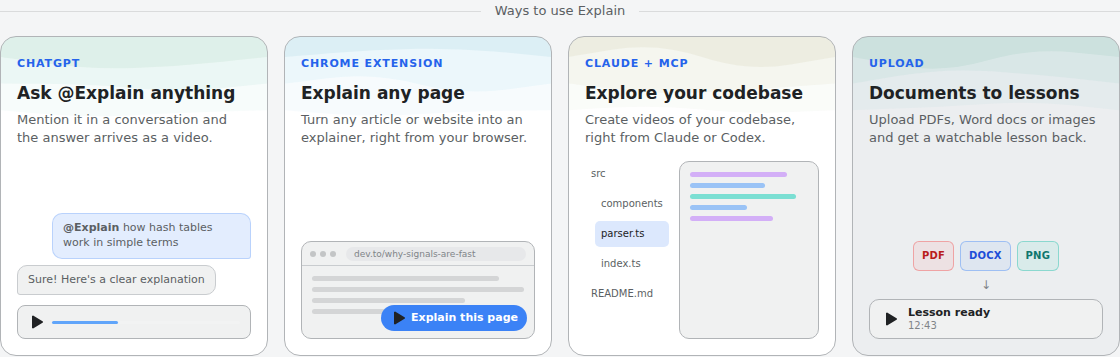
Scrimba Explain, listed in ChatGPT as Explain Video Generator ("Free AI explainer video maker" on its plugin listing), builds each lesson from what you give it. There is no presenter: an explainer is narrated slides with diagrams, animations and images, and nothing is filmed.
For a course, three features matter:
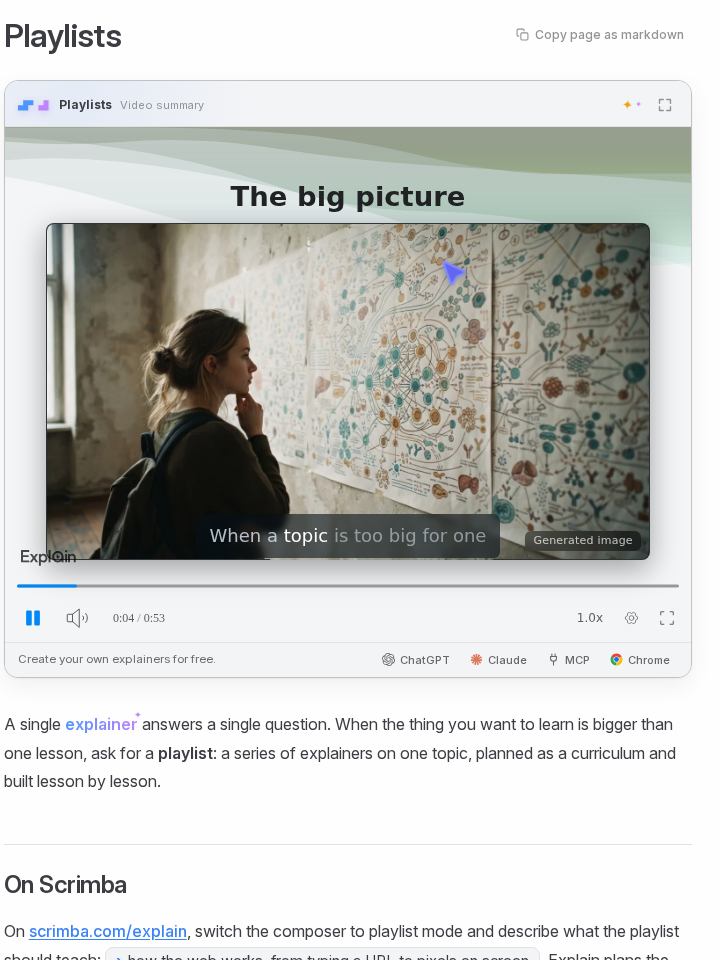
- Playlists. Scrimba's playlist docs describe "a series of explainers on one topic, planned as a curriculum and built lesson by lesson." Each lesson has its own URL.
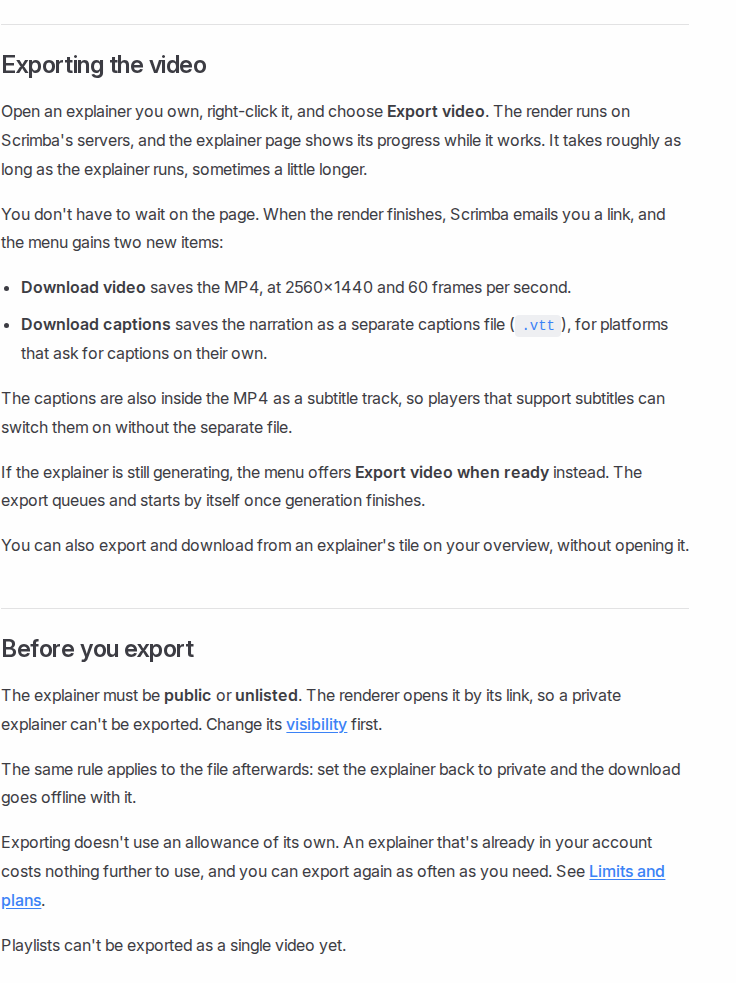
- Per-lesson export. An explainer you own exports as an MP4 at 2560×1440 and 60 frames per second, with a separate .vtt captions file. Playlists can't be exported as a single video yet.
- Your material in. On scrimba.com, attach PDFs, Word files or images. Slides go in as a PDF.
Explain is free to start: 1 explainer without an account, 10 for the life of a free account, and 100 a month on Pro, per Scrimba's limits page. Lessons are narrated in 33 languages. An end-of-lesson quiz and the seven teaching styles exist only on scrimba.com.
The ChatGPT route has conditions. Install the plugin first in a signed-in ChatGPT session, then mention it in a chat. Explainers made there come back unlisted, with no quiz or style picker, and they don't count toward your allowance until you claim one into your account, which is what lets you keep, edit and export it. Before pasting course material into a chat, read the listing's notice: "ChatGPT may share relevant chats and memories with this app to help provide context for your requests."
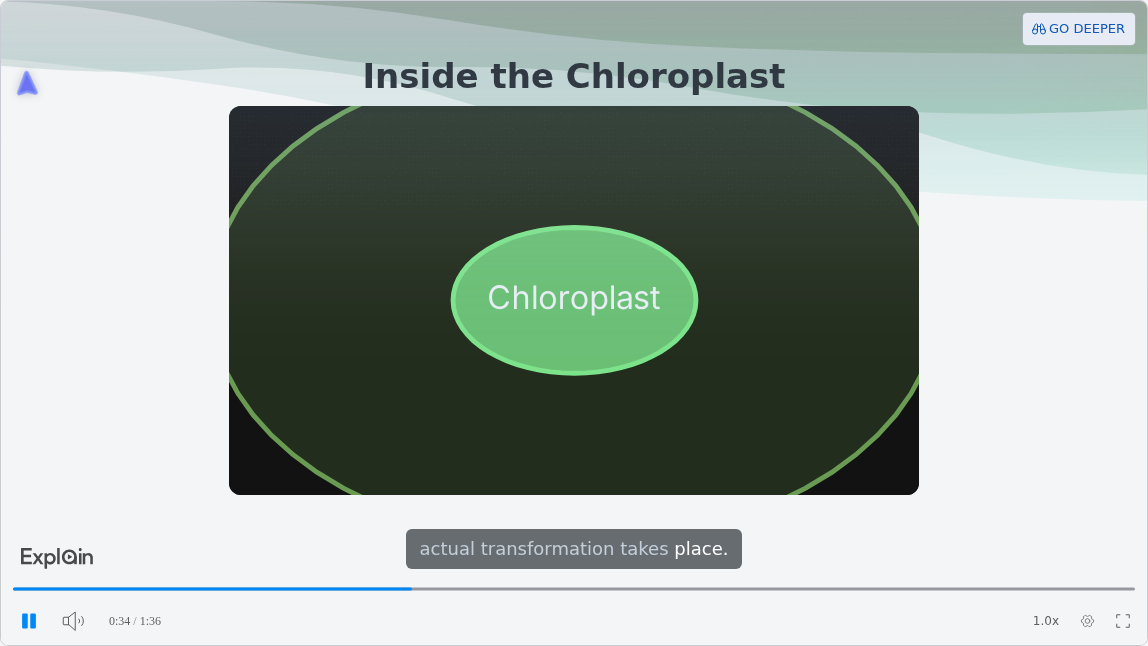
To see what one lesson looks like, open the published example "How Photosynthesis Works" from Scrimba's use-case page.
5. Vyond: A Consistent Animated Look
Vyond suits a course that should look like one animated series. Its plans page lists no free plan: Starter costs $58 a month billed yearly ($699 a year) or $99 month to month. Characters come in Whiteboard, Contemporary and Business Friendly styles. Brand Kit and SCORM export are checked only from the $137-a-month tier, billed yearly.
6. CapCut: The Free Desktop Editor
CapCut is the budget option: its free AI video generator page describes a desktop app that turns a script into a video with voiceovers and a style (cinematic, realistic or animated), exported as MP4 or MOV. CapCut's FAQ calls it "a completely free AI video generator with no hidden fees or watermarks." It is an editor: structure, quizzes and sequencing are yours to build.
Do You Need a Presenter, or Just Narration?
You need a presenter when the lesson is about you; narration without a presenter works better when the lesson is about the material itself.
A welcome video or a coaching course built on your personality needs a face, and HeyGen's voice cloning or a real recording of yourself carries more weight there than any slide. A process, a formula or a framework does not. No presenter, no camera: an explainer puts the diagram where a face would be.
The research cuts both ways. Guo, Kim and Rubin found that "videos that intersperse an instructor's talking head with slides are more engaging than slides alone". They studied real instructors, not AI avatars, so the finding argues for your own face on key lessons more than for a synthetic one.
Who Offers a Consistent Look Across Modules?
Colossyan, Synthesia, Vyond and HeyGen offer brand kits that apply your colors, fonts and logo to every module; Scrimba Explain does not.
Colossyan lists brand kits on its free Starter plan. HeyGen includes a brand kit from Creator at $29 a month, per its pricing comparison. Synthesia offers them on Enterprise and Vyond from its $137-a-month tier. Canva's pricing shows 1 Brand Kit with 3 colors on Free and 5 on Pro at US$144 a year, though its free AI course creator is for Canva for Education users at eligible K-12 schools, not course sellers.
In Explain, generated images share one art style within a lesson, and on scrimba.com you can pick the same teaching style for every lesson. That keeps a course's voice steady, not its branding.
How to Build a Numbered Course with Explain
- Split the material by module. No length limit is documented, so never expect one explainer to cover a whole workbook. One section, one lesson.
- Create the lessons. Scrimba documents two routes on scrimba.com/explain. From your files: one explainer per section, built from its PDF or Word file. From a description: switch the composer to playlist mode, describe the course, and Explain plans and builds the lessons; the docs don't mention attaching files there. The ChatGPT listing promises to "combine your explainers into full courses and playlists" but documents no steps. Use one teaching style throughout.
- Check every slide against your source. Every explainer page carries the note "Explain is AI and can make mistakes." Fix a weak slide with Redo slide instead of rebuilding.
- Set each lesson to Unlisted. Signed-in explainers start Public and appear in Scrimba's community, and a private one can't be exported.
- Export and upload in order. Download each lesson's MP4 and .vtt, then number the modules on your course platform.
The step-by-step guide for course creators is How to Turn Your Course Material into Video Modules.
When Another Tool Fits Better Than Explain
Explain is the wrong tool in four cases:
- Your buyer's LMS needs SCORM or completion records. Explain exports video only and counts views and likes, nothing more. Colossyan Professional, HeyGen Business, Synthesia Enterprise or Vyond's upper tiers export SCORM.
- You want your face or your own voice. Scrimba documents no avatar, voice cloning or own-narration option. HeyGen covers both.
- Every module needs your logo and colors. Pick a tool with a brand kit.
- You need hosting, payments and learner progress. That is your course platform's job, whichever video tool you use.
Related picks: best AI video generators, free options, training videos, teachers, explainer video makers and video inside ChatGPT.
Frequently Asked Questions
What is the best AI video generator for a numbered module course from material I already wrote, narrated, with no filming?
With no one on screen, Scrimba Explain builds each module as a narrated explainer from your PDF or Word file and exports one MP4 per lesson, which you number on your course platform. For a presenter in every module, use HeyGen, Synthesia or Colossyan.
I am ready to pick an AI video maker for my paid course, launching next month. Which one?
Check what your course platform needs first. For MP4 lessons, HeyGen's Creator plan at $29 a month covers a presenter at 1080p, and Scrimba Explain covers narrated lessons. SCORM matters when a corporate buyer's LMS asks for it, and Colossyan, HeyGen and Synthesia export it on paid tiers. On Udemy, disclose AI use.
I am pre-revenue on my course. Is there a free AI video generator I can start making modules with?
Yes, with limits. Scrimba Explain is free to start: 1 explainer without an account and 10 for the life of a free account. HeyGen's free plan gives 3 one-minute videos a month, and Synthesia's covers 10 minutes a month without downloads. CapCut says its generator is completely free.
Which AI explainer video generator gives narration, diagrams and a consistent look across modules?
Scrimba Explain gives narration and diagrams from your material but has no brand kit, so for a locked look pick a tool that has one. Colossyan lists brand kits on its free Starter plan, HeyGen includes one from Creator at $29 a month, and Vyond and Synthesia offer them on upper tiers.
Can I export a whole course as one video?
Not from Scrimba Explain. Each lesson exports as its own MP4 with a separate captions file, and Scrimba's docs say playlists can't be exported as a single video yet. Course platforms expect one video per lesson anyway.
Can I sell a course with AI narration on Udemy?
Yes, within Udemy's rules. Udemy accepts courses made with quality text-to-speech and AI tools, but not courses that are entirely AI-generated, and instructors must disclose AI use in the course description.
Can I make course videos inside ChatGPT?
Yes, through a plugin. Install Explain Video Generator in a signed-in ChatGPT session, then mention it in a chat. The explainer comes back unlisted; to keep, edit or export it, claim it into a Scrimba account, which counts toward the allowance. Quizzes need scrimba.com.
Key Takeaways
- Pick by presenter first: HeyGen, Synthesia and Colossyan show an avatar; Scrimba Explain builds narrated lessons with diagrams and no presenter.
- Every free plan has a catch: HeyGen caps videos at 1 minute, Synthesia holds downloads for Starter, Colossyan holds unlimited MP4 and SCORM for Professional, and Explain allows 10 explainers for the life of a free account.
- SCORM matters only when a buyer's LMS asks for it; Teachable lists MP4 among its recommended video formats, and Udemy recommends MP4.
- Keep modules short: median engagement in a 6.9-million-session edX study was at most 6 minutes.
- Explain exports one MP4 per lesson, not a whole playlist, and has no brand kit.
Sources
- HeyGen pricing and HeyGen ChatGPT app
- Synthesia pricing and Synthesia's ChatGPT plugin
- Colossyan pricing and Colossyan's ChatGPT apps
- Vyond plans, CapCut free AI video generator, Canva pricing
- Guo, Kim and Rubin, "How Video Production Affects Student Engagement", Learning at Scale 2014
- Udemy, Course Quality Checklist: Use of AI and Supported File Types
- Teachable, Content File Types
- Scrimba Explain docs and the Explain Video Generator listing
Vendor pages accessed September 28, 2026.