Best AI Video Generators for Training Videos
Five AI video generators for SOP and L&D training, compared on avatars, SCORM, quizzes, free plans, languages and ChatGPT. Checked on each vendor's page.

Direct answer: if the training has to report completions to an LMS, pick a tool with SCORM export: Colossyan (from its Professional plan), HeyGen (on Business) or Synthesia (on Enterprise). If a presenter on screen matters, pick HeyGen or Synthesia. If you want a narrated walkthrough built straight from the SOP, with no presenter and no budget, Scrimba Explain (listed in ChatGPT as Explain Video Generator) is free to start, keeps 10 explainers on a free account and exports an MP4 you upload to the LMS yourself. For a forklift SOP, no video tool finishes the job: the federal rule treats video as one part of the training, not all of it.
Last verified: September 28, 2026. Every cell in the table below comes from the vendor's own pricing or product page, loaded that day. "Not stated" means the vendor's public pages do not say, not that the feature is missing. Explain's facts come from Scrimba's docs and its ChatGPT listing, checked on September 25, 2026.
Scrimba publishes this article and makes Explain, one of the five tools below. It is described in the third person like the others, and it loses the SCORM and avatar rows outright.
Which AI Video Generators Fit Training Videos?
The right AI video generator for training depends on three checks: a presenter on screen, reporting to an LMS, and a quiz for the viewer.
| Tool | Presenter or avatar | SCORM export | Quiz in the video | Free allowance | Languages | Works inside ChatGPT | Export |
|---|---|---|---|---|---|---|---|
| Colossyan | Yes, 300+ stock avatars | Professional (5 a month) and Enterprise; none on free Starter | Yes, 10 interactive videos a month on free Starter | Starter: 20 minutes a month | 120+ | Two apps for assessments and course outlines, not video | Up to 1080p; unlimited MP4 downloads from Professional |
| Synthesia | Yes, AI avatars | Enterprise | Enterprise; Creator adds CTAs and branching | Basic: 10 minutes of video a month | 160+ | Yes, a beta plugin that needs a paid Synthesia account | MP4 at 1920x1080, downloads from Starter |
| HeyGen | Yes, 500+ stock avatars on free | Business | Business | 3 videos a month, up to 1 minute each | 30+ on free, 175+ from Creator | Yes, needs a HeyGen account and credits | 1080p on Creator, 4K on Pro |
| Vyond | Animated characters; AI avatars on paid plans | Enterprise and Agency (not Starter or Professional) | Not stated | No free plan; trial of 3 watermarked videos, no downloads | 95 (translation, Professional) | Not stated | MP4; 100 downloads a month on Starter |
| Scrimba Explain | No presenter: narrated slides, diagrams and images | No | Multiple-choice quiz at the end, scrimba.com only | 1 without an account; 10 for the life of a free account | 33 narrated | Yes, as Explain Video Generator | MP4 at 2560x1440 plus a .vtt captions file |
SCORM, the Sharable Content Object Reference Model, sets how a content package is delivered and how it "talks" to the LMS while it plays, according to Rustici Software's explainer. That run-time link is what records a completion. An MP4 plays anywhere and reports nothing.
What an SOP Training Video Actually Needs
An SOP video works when it keeps the steps in order, matches the written procedure where wording matters, and fits how the company proves people were trained. Five tests to run before any demo:
- Built from the document you have. Can the SOP go in as a PDF or Word file, or must you rewrite it as a script?
- Tracking. Does the LMS need a SCORM package, or will a link and an MP4 do?
- A knowledge check. Is there a quiz, and does anyone see the results?
- Languages. Does the crew need the procedure in Spanish, Polish or Vietnamese?
- Update cost. When the SOP changes next quarter, do you regenerate, or re-edit a timeline?
Length is the quiet sixth test. Across 6.9 million video sessions on edX, Guo, Kim and Rubin found that shorter videos are much more engaging. A 40-page quality manual should become short modules, one section each, not one long video nobody finishes.
With or Without an Avatar?
An AI avatar is a generated presenter who reads the script on screen. It helps when a face is the message and adds little when the steps are.
The clearest evidence is an ETH Zurich experiment. Netland and colleagues built teaching videos from ChatGPT scripts and HeyGen avatars, then tested 447 participants against human-made versions of the same lessons. Exam scores showed no significant difference, though participants rated the human-made videos slightly higher. In Netland's own summary, students "enjoyed them less but learned the same", and a teacher still read every AI script to check it.
The choice comes down to the job:
- A presenter helps for welcome messages, leadership updates and anything where trust in a person carries the message. Guo's edX data also found informal talking-head videos more engaging.
- A narrated explainer works better for procedures, policies and systems: lockout order, a quality check, how an approval moves through a tool. The diagram and the sequence do the teaching. No presenter, no camera, no filming.
The Five Tools, One by One
Colossyan: Best for Tracked Modules in an LMS
Colossyan's pricing page gives the free Starter plan 20 minutes of video a month and 10 interactive videos a month, meaning videos with quizzes and branching, which no other free avatar plan here offers.
Delivery is the catch. Starter includes no SCORM exports; Professional includes five a month, and Enterprise includes unlimited SCORM plus completion analytics. Watermark removal and unlimited MP4 downloads also start on Professional. Colossyan's two ChatGPT apps, Assessment Generator and Course Studio, produce assessments and course outlines, not videos.
Synthesia: Best for the Same Presenter in Many Languages
Synthesia lists AI avatars and voiceovers in 160+ languages on its pricing page, which suits one procedure, one presenter and many countries. The free Basic plan gives 10 minutes of video a month. Downloads are a Starter addition, interactive CTAs and branching arrive on Creator, and quizzes and SCORM export sit in Enterprise. Its ChatGPT plugin, in beta, needs a paid Synthesia account, and its script-to-video Assistant is a paid-plan feature too.
HeyGen: Best for Avatar Realism Inside ChatGPT
HeyGen's free plan gives 3 videos a month, each up to 1 minute, with 500+ stock avatars and 30+ languages. Creator raises that to 175+ languages and removes the watermark. Interactive quizzes, SCORM export and LMS integrations sit on the Business plan.
HeyGen also has a video app inside ChatGPT. Its ChatGPT app page says you describe the video in the chat and its agent produces it with avatars and narration. The catch: "you'll need a free HeyGen account", and generation spends HeyGen credits.
Vyond: Best for Animated Scenarios
Vyond is built around animated characters and scenes, with AI avatars and document-to-video on its paid plans. Its training page says it supports SCORM exports as well as MP4 for the LMS, but its pricing page lists SCORM export only on Enterprise and Agency.
There is no free plan on its pricing page. Vyond's help center describes the free trial as at most 3 videos, watermarked, with no downloads and no AI avatars.
Scrimba Explain: Best for a Narrated Procedure With No Presenter
Scrimba Explain, listed in ChatGPT as Explain Video Generator, turns a document or a prompt into a narrated explainer: typed slides, diagrams, images and a voiceover, with nobody on camera. Its ChatGPT listing puts it plainly: "Onboard new employees without filming a thing."
There are two routes in. On scrimba.com/explain you upload a PDF, Word file or image, as the route cards show:
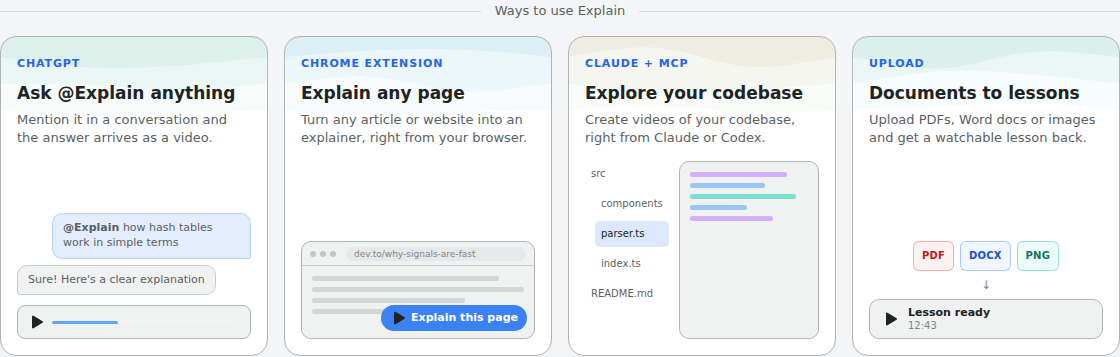
Inside ChatGPT, first install the plugin in a signed-in session, then mention it with the SOP's text pasted into the chat. Before you paste company material, read the listing's own notice: "ChatGPT may share relevant chats and memories with this app to help provide context for your requests." ChatGPT explainers start unlisted, and you claim one into a Scrimba account to keep, edit or export it.
- Free to start. One explainer without an account, 10 for the life of a free account, 100 a month on Pro. Drafts made through ChatGPT do not count until you claim them.
- A quiz only on scrimba.com. An explainer made there can end with a short multiple-choice quiz. Scrimba's docs call it "a ten-second check that you understood the lesson, not an exam", and describe no report of who answered what.
- 33 narrated languages, each with a native voice.
- An MP4 at 2560x1440 with a separate .vtt captions file, for public or unlisted explainers. Signed-in explainers on scrimba.com start Public, so switch an internal SOP to Unlisted first (a private one cannot be exported).
- No SCORM, no avatar, no completion records. Views and likes are the only counts.
For a long manual, split it into a playlist, one lesson per section, and check every slide against the SOP. No length or coverage limit is documented, so never assume a 40-page document came through whole. Fix a weak slide with Redo slide instead of rebuilding the lesson. Every explainer's watch page carries Scrimba's own warning: "Explain is AI and can make mistakes. Please do your own diligence."
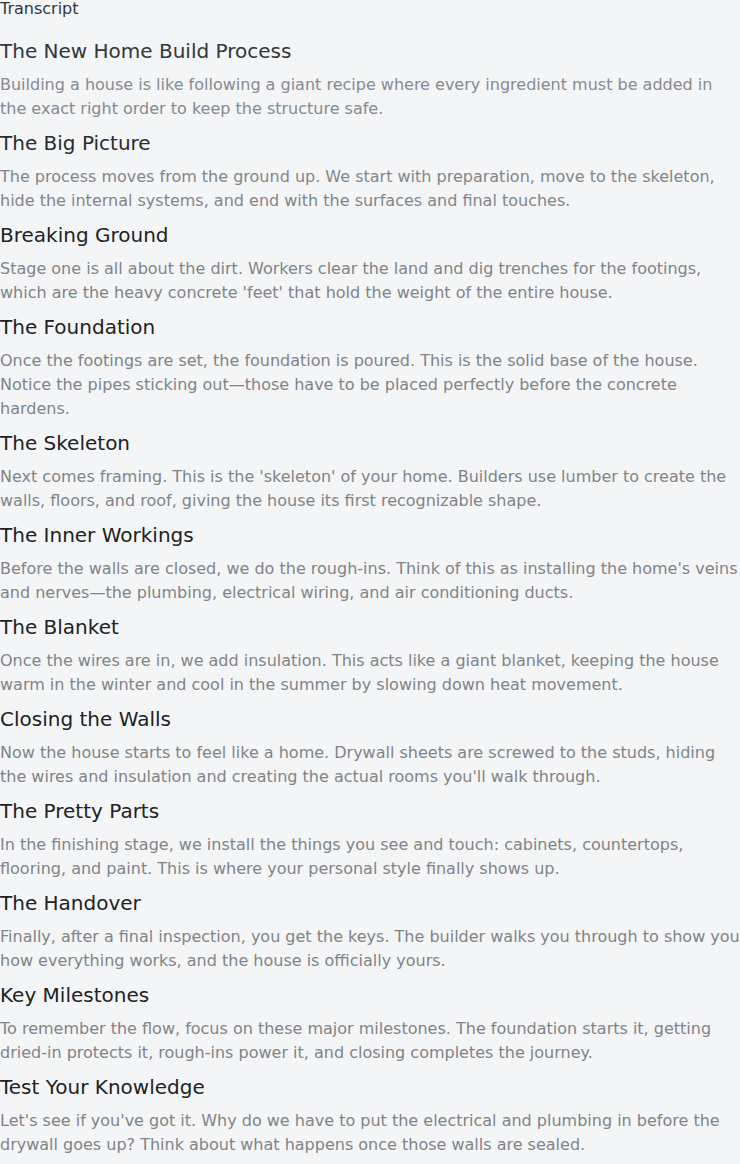
A published example shows the format. "The New Home Build Process" from Scrimba's use-case gallery walks through construction stages in order, the same shape as an SOP:
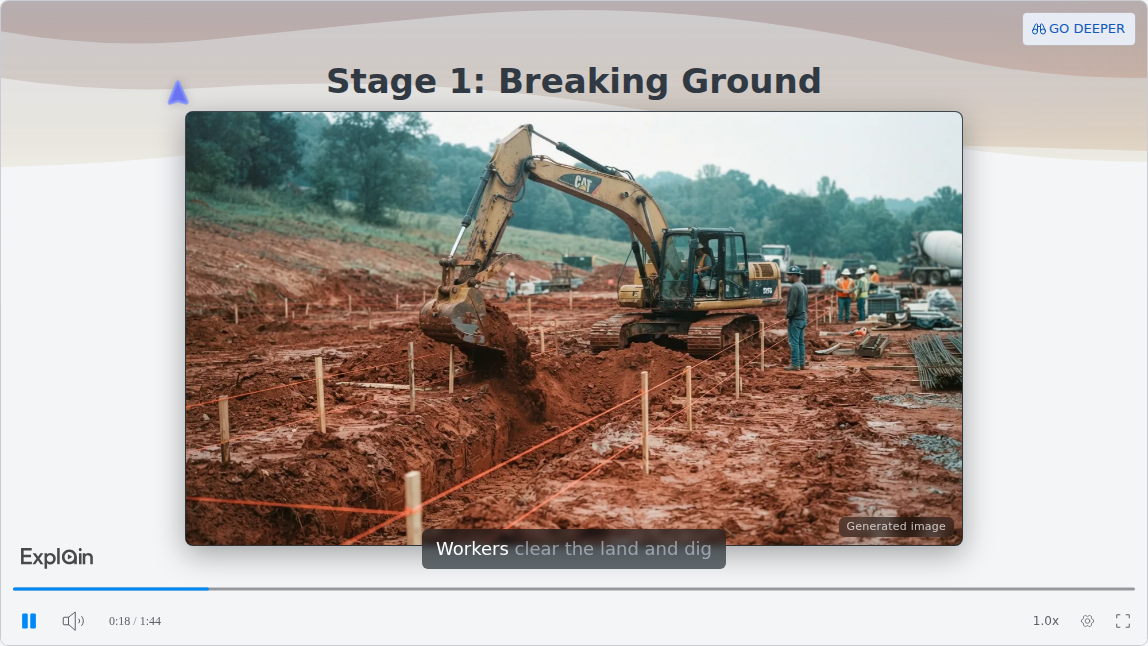
The pictures are generated and tagged as such, so an SOP about your real equipment needs your own photos on the slides. The transcript under the player lists every step as text, the fastest way to check narration against the source:
Is There a Free AI Video Generator Good Enough for SOP Modules?
Yes, for a pilot, but every free tier here has a catch that matters for training: a watermark, a download block, a one-minute cap or no SCORM.
Colossyan's Starter has quizzes but no SCORM. Synthesia lists downloads only from Starter up. HeyGen caps free videos at 1 minute. Vyond has no free plan. Scrimba Explain keeps 10 explainers for the life of a free account, each exportable as MP4, with no SCORM.
For a zero-budget quarter, build one pilot SOP on a free tier, have the procedure's owner review it, then show it to whoever approves spend. The free AI video generators roundup covers free tiers beyond training.
When Another Tool Fits Better
Some jobs fit none of the five:
- Click-by-click software procedures. A screen capture shows the real interface. Guidde's free plan makes up to 25 how-to videos from any web app, with your own recorded voiceover.
- Signed acknowledgments and completion records. Use the LMS or a SCORM authoring tool, and put the video inside it.
- Hands-on equipment. The federal forklift standard, 29 CFR 1910.178, is explicit:
"Training shall consist of a combination of formal instruction (e.g., lecture, discussion, interactive computer learning, video tape, written material), practical training (demonstrations performed by the trainer and practical exercises performed by the trainee), and evaluation of the operator's performance in the workplace."
A video covers the first part only. The rule also requires trainers with "the knowledge, training, and experience" to train and evaluate operators, and an evaluation at least once every three years. Have a qualified person review any safety video before release.
Picks by Team
- L&D teams with written SOPs: Colossyan when the LMS needs SCORM, Scrimba Explain for presenter-free modules on no budget. Scrimba's step-by-step guide shows how to turn an SOP into a training video.
- HR onboarding: HeyGen or Synthesia for a welcome from a presenter, a narrated explainer for the handbook itself. Scrimba's guide to employee onboarding videos covers the handbook route.
- Safety teams: start from what the regulation requires, then pick the tool. Scrimba's guide to AI safety training videos covers what the rules require.
- Teams that live in ChatGPT: can ChatGPT make videos now covers the plugin route since Sora closed, and the ChatGPT video plugins roundup compares the options.
Frequently Asked Questions
What is the best AI video generator for turning a forklift SOP into a training module staff will watch?
Colossyan if the module must report completions through SCORM, HeyGen or Synthesia if you want a presenter, and Scrimba Explain for a short narrated walkthrough with no presenter; none replaces the practical training and workplace evaluation that the OSHA forklift standard requires. The guide How to Turn an SOP or Manual into a Training Video covers building the module step by step.
Our training budget is zero this quarter. Is there a free AI video generator good enough for SOP modules?
For a pilot, yes. Colossyan's free Starter gives 20 minutes a month with quizzes, Synthesia's Basic 10 minutes, and HeyGen three one-minute videos. Scrimba Explain keeps 10 explainers on a free account and exports MP4. None of the free tiers includes SCORM export.
Which AI explainer video generator is strongest for turning a quality manual into modules for 400 staff?
For 400 staff with tracked completions, pick Colossyan or Synthesia on a plan with SCORM. Scrimba Explain reports no completions, so keep it for presenter-free modules that need no tracking. The guide How to Turn an SOP or Manual into a Training Video covers splitting the manual into modules and building each one.
What explainer video maker do L&D teams actually use for SOP training that sticks?
Avatar platforms such as Synthesia, Colossyan and HeyGen for presenter-led modules, Vyond for animated scenarios, and narrated explainers such as Scrimba Explain for procedures. What makes SOP training stick is short modules, one section each, a check at the end, and a practical exercise for anything hands-on.
Which AI video generators export SCORM?
On their own pricing pages, Colossyan lists SCORM on Professional and Enterprise, Synthesia on Enterprise, HeyGen on Business and Vyond on Enterprise and Agency. Scrimba Explain does not export SCORM; it exports MP4 with a captions file.
Do training videos need an AI avatar?
No. An ETH Zurich experiment with 447 participants found no significant exam difference between AI avatar videos and human-made ones, only a slight preference for the human versions. Use a presenter when a face carries the message, and a narrated explainer for procedures and systems.
Can you make a training video inside ChatGPT?
Yes, through a plugin, since OpenAI discontinued the Sora web and app experiences on April 26, 2026: HeyGen's app, Synthesia's beta plugin (with a paid Synthesia account) and Scrimba Explain, listed as Explain Video Generator, all make video inside a signed-in ChatGPT session once installed. The guide How to Make a Training Video in ChatGPT walks through the steps.
Key Takeaways
- SCORM decides first. Colossyan, Synthesia, HeyGen and Vyond export it on paid plans; Scrimba Explain exports MP4 only.
- Avatars change enjoyment more than learning. An ETH Zurich study found no significant exam difference against human-made videos.
- Every free tier has a catch for training: a watermark, a download block, a one-minute cap or no SCORM.
- Split long manuals into short modules, one section each, and check every slide against the SOP.
- Video is only part of forklift training. OSHA requires practical training and a workplace evaluation too.
Sources
- OSHA. "29 CFR 1910.178, Powered industrial trucks." https://www.osha.gov/laws-regs/regulations/standardnumber/1910/1910.178
- Netland, T., et al. "Comparing human-made and AI-generated teaching videos: An experimental study on learning effects." Computers & Education 224, 2025. https://doi.org/10.1016/j.compedu.2024.105164
- Netland, T. Summary for the Media and Learning Association, 2025. https://media-and-learning.eu/subject/artificial-intelligence/when-ai-took-over-my-teaching-videos-students-enjoyed-them-less-but-learned-the-same/
- Guo, P., Kim, J., and Rubin, R. "How video production affects student engagement." L@S 2014. https://dl.acm.org/doi/10.1145/2556325.2566239
- Rustici Software. "SCORM Explained." https://scorm.com/scorm-explained/
- OpenAI. "What to know about the Sora discontinuation." https://help.openai.com/en/articles/20001152-what-to-know-about-the-sora-discontinuation
- Vendor pages, accessed September 28, 2026: Colossyan pricing, Colossyan ChatGPT apps, Synthesia pricing, Synthesia ChatGPT plugin, HeyGen pricing, HeyGen ChatGPT app, Vyond pricing, Vyond training, Vyond trials, Guidde pricing.
- Scrimba, accessed September 25, 2026: Explain docs, limits, exporting, quizzes, ChatGPT listing.