AI Safety Training Videos: How to Make Them and What the Rules Require
Turn a written safety procedure into a narrated AI video, and see what OSHA, FDA and HSE rules still require: a trainer, hands-on practice, review and records.

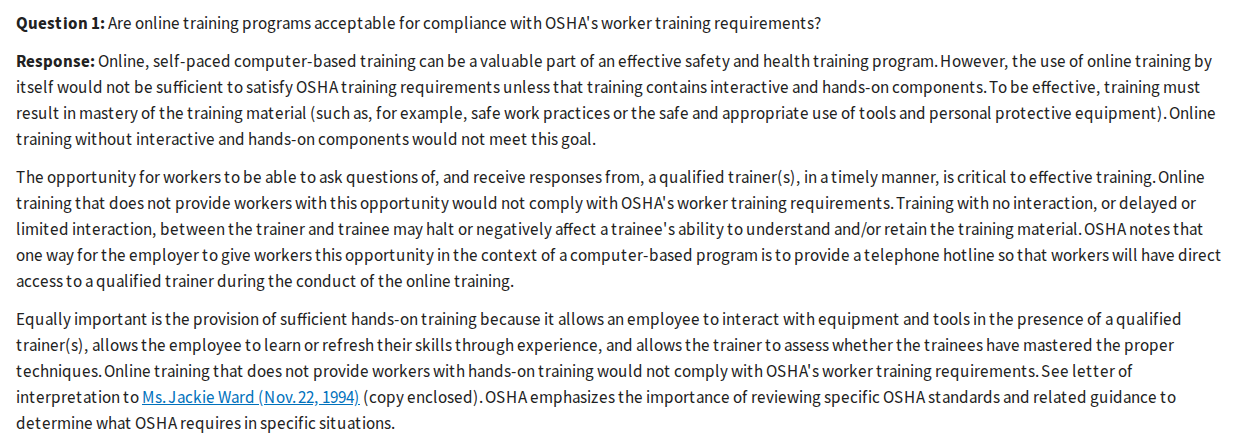
Direct answer: yes, an AI tool can turn your written safety procedure into a narrated briefing in minutes, with no one on camera. No, the video alone does not meet OSHA's training requirements. OSHA says online training "by itself would not be sufficient" without interactive and hands-on components and a qualified trainer to answer questions (OSHA, 2019). Use the video for the explanation, then add the questions, the practice and the record your standard asks for.
Last verified: September 28, 2026. Checked that day: every rule and guidance text quoted below, the pricing pages of Synthesia, Colossyan, HeyGen and Vyond, and Scrimba's Explain docs. The ChatGPT plugin listing was checked on September 25.
Scrimba publishes this article and makes Scrimba Explain, listed in ChatGPT as Explain Video Generator. This guide quotes the rules and is not legal advice; a qualified person at your site decides what your training needs.
No presenter, no camera, no filming: an explainer is slides, diagrams and narration built from your document.
Which AI Video Tool Fits a Safety Briefing?
The right tool depends on two checks: a presenter on screen, and completions recorded in the LMS.
| Tool | Presenter or avatar | SCORM or LMS tracking | Quiz | Free allowance | Languages | Inside ChatGPT | Export |
|---|---|---|---|---|---|---|---|
| Scrimba Explain | No, narrated slides and diagrams | No | End quiz on scrimba.com, scored per viewer, "not an exam" | Free to start: 1 without an account, 10 for the life of a free account, 100 a month on Pro | 33 narrated | Yes, as Explain Video Generator | MP4 at 2560x1440 plus .vtt |
| Synthesia | Yes, 9 AI avatars free | Enterprise | Quizzes on Enterprise | 10 minutes a month; downloads from Starter ($19/mo) | 160+ | Yes, a beta plugin that needs a paid Synthesia account | MP4 at 1920x1080 |
| Colossyan | Yes, 300+ stock avatars | 5 SCORM exports a month on Professional; completion analytics on Enterprise | 10 interactive videos a month free | Starter: 20 minutes a month, no SCORM | 120+ | Question-bank and outline apps, not video | Up to 1080p |
| HeyGen | Yes, 500+ stock avatars | Business ($149/mo) | Business | 3 videos a month, up to 1 minute | 30+ free, 175+ from Creator | Yes, with a free HeyGen account | 1080p from Creator ($29/mo) |
| Vyond | Yes, 1,300+ AI avatars | Enterprise and Agency | Not stated | No free plan; a 3-video trial, no downloads | 95 (translation) | Not stated | MP4, .srt or .vtt captions |
Competitor cells come from each vendor's pricing page (Synthesia, Colossyan, HeyGen, Vyond and its trial terms) and ChatGPT page (Synthesia, Colossyan, HeyGen). Not stated means the public page does not say.
SCORM governs how content "talks" to the LMS while it plays (Rustici Software). That link records a completion. An MP4 reports nothing. Scrimba compares more tools in its guides to AI video generators for training and free AI video generators.
What Do the Rules Require from Safety Training?
The rules regulate the training, not the tool: OSHA treats a video as one part of training that also needs a qualified trainer, hands-on practice and records.
Four OSHA letters of interpretation answer the "is it reliable enough" question:
- Video alone is not training. "Training the employee solely by means of a film or video without the opportunity for a discussion, constitutes a violation" of the bloodborne pathogens standard (OSHA, 1996).
- Generic packages fall short. Employers should "be wary of relying solely on generic, 'packaged' training programs" (OSHA, 1994).
- There is no blanket approval. Whether online training is "adequate" or "effective" "may only be determined on a case-by-case basis" (OSHA, 2020).
- Understanding beats paperwork. Training must use "a language and vocabulary that the employees can understand", and inspectors "look beyond any basic paper documentation" (OSHA, 2010).
Research agrees: across 95 studies, videos ranked among the least engaging methods, and more engaging training cut accidents further, though every method improved behavior (Burke et al., 2006).
Lockout/tagout refresher (29 CFR 1910.147)
Training must ensure that "the knowledge and skills required for the safe application, usage, and removal of the energy controls are acquired by employees" (29 CFR 1910.147). Retraining follows a new job assignment, a changed procedure, equipment that brings a new hazard, or deviations found in the periodic inspection, which runs "at least annually". The employer certifies training with "each employee's name and dates of training".
Where the video fits: the energy sources and the order of the steps, before hands-on practice on the machine.
Confined space entry (29 CFR 1910.146 and 1926.1207)
Training comes before first assignment, before duties change, and whenever new hazards or deviations appear, and it must "establish employee proficiency". The certification carries "each employee's name, the signatures or initials of the trainers, and the dates of training". Employees assigned to rescue practice "at least once every 12 months, by means of simulated rescue operations" (29 CFR 1910.146). On construction sites, training must also be "in both a language and vocabulary that the employee can understand" (29 CFR 1926.1207).
Permit to work and toolbox talks
The UK regulator HSE's permit-to-work guidance, written for the petroleum and chemical industries, lists "videos" next to "practical exercises" among training approaches, adds that "competence should be tested" and that records of training and competence assessments "should be kept" (HSE, HSG250). On US construction sites, the general duty behind a toolbox talk is 29 CFR 1926.21(b)(2): "instruct each employee in the recognition and avoidance of unsafe conditions" (OSHA).
Food safety HACCP refresher
FDA's HACCP guidelines say training "should include working instructions and procedures that outline the tasks of employees monitoring each CCP" (FDA). Under 21 CFR 117.4, people who handle food are trained "in the principles of food hygiene and food safety", and training records "must be established and maintained". A seafood HACCP plan needs someone trained under an FDA-recognized curriculum or with equivalent experience (21 CFR 123.10); a refresher video is not that course.
"Trackable" and "every crew must acknowledge"
The bloodborne pathogens standard requires training "at least annually thereafter" and records with dates, contents, trainers and attendees, kept for 3 years (29 CFR 1910.1030). A worker's signature is "generally not required by OSHA's standards" (OSHA, 2019), and electronic certification is generally acceptable when it meets the standard's requirements (OSHA, 2014). Scrimba Explain documents only view and like counts (docs), so the record lives in your LMS or HR system.
How to Make a Safety Training Video from Your Written Procedure
A safety training video starts from the approved procedure, gets checked slide by slide, and runs inside a session with a trainer and a record.
The worked example is public: OSHA's own Typical Minimal Lockout Procedure in Appendix A of 1910.147. It has eight "Sequence of Lockout" steps, from notifying affected employees to "The machine or equipment is now locked out", and five steps for restoring equipment to service. Most steps leave a blank for your site: energy types, device locations, how to verify isolation. Fill the blanks before you build: a generic procedure makes a generic video.
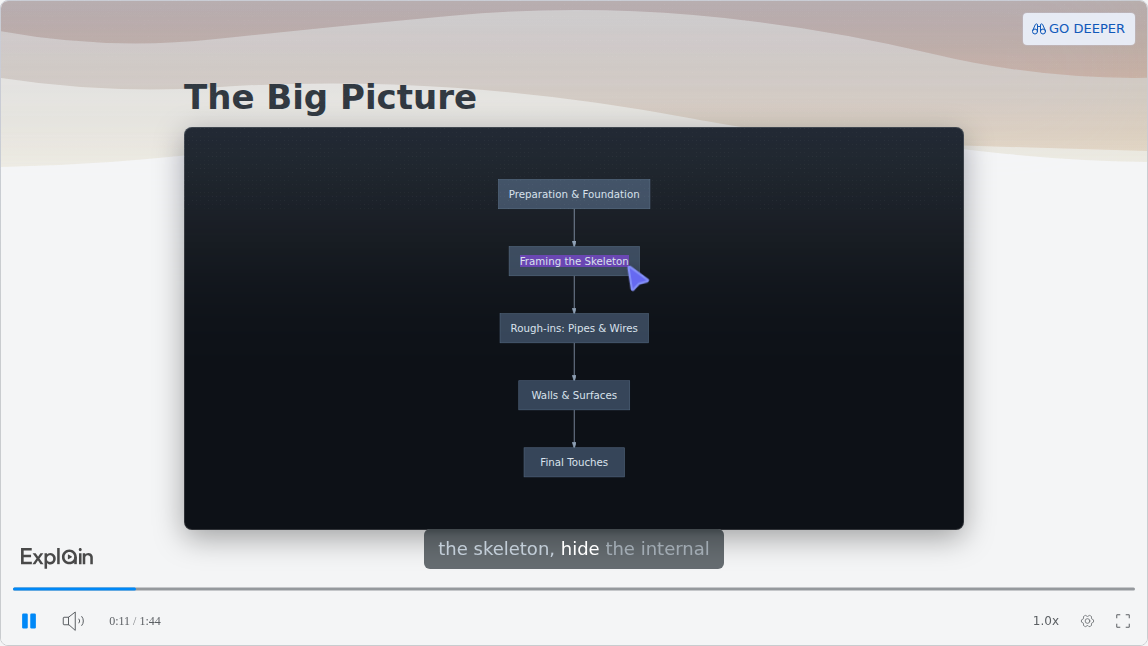
Flowcharts are one of Explain's diagram types. The published example "The New Home Build Process", from Scrimba's use-case gallery, shows one right after its title slide.
Step 1: One procedure per explainer
Use the current approved revision. Explain documents no length or coverage limit, so split a long safety manual into sections, one explainer each, grouped as a playlist. Short works better: in 6.9 million edX sessions, shorter videos are much more engaging (Guo, Kim and Rubin). Scrimba's guide on how to turn an SOP into a training video covers the full workflow.
Step 2: Build it on scrimba.com or in ChatGPT
On scrimba.com, sign in and set visibility to Unlisted or Private first, because signed-in explainers start Public (docs). Attach the procedure as a PDF or Word file; Scrimba's guides cover PDFs and slide decks, which go in as PDFs. Add your own photos of the equipment: an image slide "can also show a picture you attached instead of a generated one" (docs). Asking for a quiz makes one more likely:
Explain this lockout procedure for machine operators. Keep the steps in the
order written, use the procedure's own terms, show the attached photos of our
isolation points, and end with a quiz.
In ChatGPT, install the plugin first from its listing in a signed-in session, then mention @Explain Video Generator with the procedure text in the chat. The listing warns that "ChatGPT may share relevant chats and memories with this app to help provide context for your requests." Drafts are unlisted and cost nothing; keeping, editing or exporting one means claiming it into a Scrimba account, which counts toward your allowance (docs). This route has no quiz; Scrimba's guide to making a training video in ChatGPT covers the rest.
Step 3: Check every slide against the procedure
Check the Transcript under the player against the written steps: order, numbers, warnings, terms. Every explainer page carries the note "Explain is AI and can make mistakes. Please do your own diligence." (docs). Fix a wrong slide with Redo slide. Generated pictures carry a "Generated image" tag; they illustrate, they do not show your machine.
Step 4: Have a qualified person approve it
The procedure owner or your safety professional watches the whole explainer before any crew sees it. Skip it, and crews learn steps nobody checked.
Step 5: Deliver it inside the training
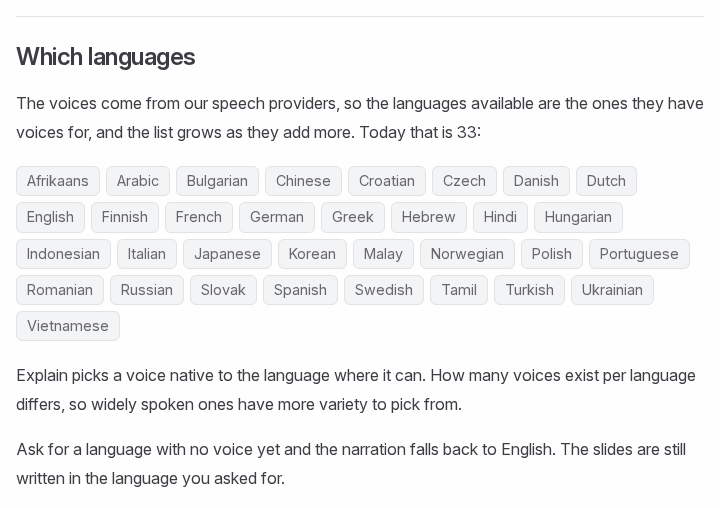
Mixed crews get the briefing in their language: explainers are narrated in 33 languages, and other languages fall back to an English voice (docs).
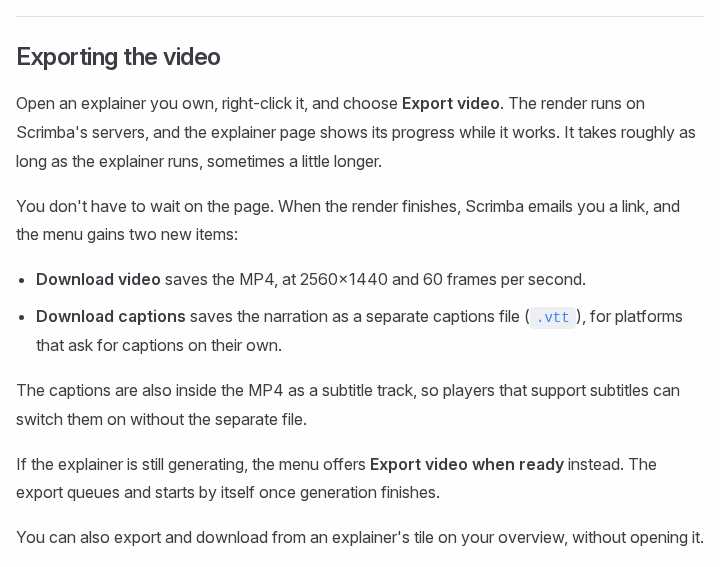
Captions are on by default in the player. For the LMS, export an MP4 with a separate .vtt captions file; the explainer must be public or unlisted to export (docs).
Then add the rest: a qualified trainer who answers questions, hands-on practice on the real equipment, and a record with names, dates and the trainer.
Step 6: Update it when the procedure changes
New hazards and revised procedures trigger retraining under both the lockout and confined space standards. Redo the affected slides and export again: a downloaded video is a snapshot, and editing the explainer retires it. Replace the file in the LMS and note the new revision.
When Another Tool Fits Better
Scrimba Explain explains a procedure. Other tools fit other jobs:
- The LMS must record completions from the video itself. Use SCORM: Colossyan from Professional, Synthesia on Enterprise, HeyGen on Business, Vyond on Enterprise.
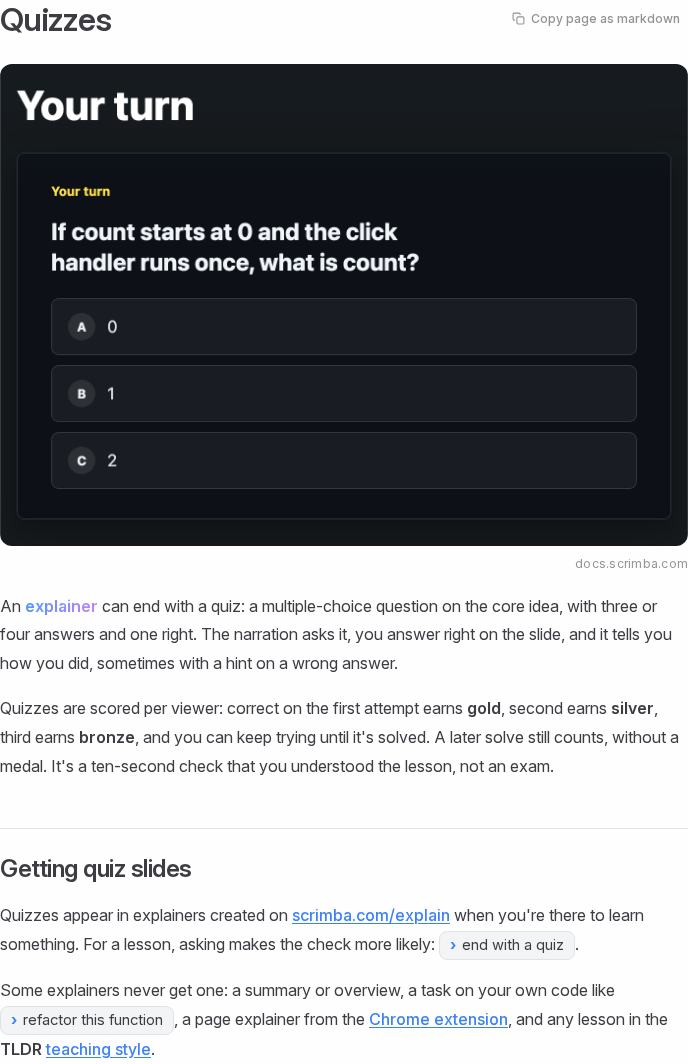
- You need a scored test. Explain's quiz is "a ten-second check that you understood the lesson, not an exam" (docs). Use the LMS quiz.
- You want a presenter. Synthesia, HeyGen and Colossyan offer avatars; Explain has none.
- The skill is physical. PPE fitting, applying locks and rescue drills need practice with a qualified trainer; OSHA calls hands-on training "equally important" (OSHA, 2019).
- The procedure is a software task. A screen recorder shows the real interface; an explainer "is not a screen recording" (docs).
Frequently Asked Questions
Is there an AI video generator that can produce a lockout tagout refresher from our written safety procedure?
Yes. Scrimba Explain builds a narrated refresher from the written procedure you attach as a PDF or Word file, with no one on camera. That covers the explanation only: 29 CFR 1910.147 still requires the skills to be acquired, retraining when procedures change, and certified training with names and dates.
I need an AI video maker for a toolbox talk on permit to work, with no camera and no editing skills. What works?
A narrated explainer fits: Scrimba Explain turns the written permit-to-work procedure into slides, diagrams and narration, with nothing filmed and no timeline to edit. Synthesia and HeyGen add an avatar if you want one. HSE's guidance still expects competence to be tested and training records kept.
What free AI video generator is best for site safety briefings when paid tools are not getting approved?
Scrimba Explain is free to start: 1 explainer without an account, 10 for the life of a free account and 100 a month on Pro, with MP4 export from your account. Synthesia's free Basic gives 10 minutes a month without downloads, HeyGen 3 one-minute videos a month, and Colossyan's Starter 20 minutes a month without SCORM.
Could an AI video creator build our food safety HACCP refresher from the written procedure we already follow?
Yes, for the explanation. Attach the written HACCP procedure on scrimba.com and Scrimba Explain narrates it, with your own photos of the critical control points on slides. FDA's guidelines say monitors must be trained in their monitoring technique, and 21 CFR 117.4 requires training records, so the video runs inside documented training, after a qualified person reviews it.
We keep every safety procedure as a text document. Is text to video AI reliable enough for compliance briefings?
Reliable enough to explain, not to stand alone. OSHA's 2019 letter says online training by itself is not sufficient without interactive and hands-on components and a qualified trainer. Explain also warns on every explainer page that it can make mistakes, so check each slide and have a qualified person approve it.
Could an AI explainer video generator produce our permit to work briefing in a way auditors accept?
No tool can promise that. OSHA judges online training case by case, and HSE's permit-to-work guidance expects competence tests and records. A briefing reviewed by a qualified person can be one documented part of that training, next to practical exercises and a competence check.
What is the best explainer video maker for a confined space entry procedure that must be narrated and under five minutes?
Scrimba Explain narrates by default and needs no camera. Its explainers typically run a minute to a few minutes, but no length setting is documented, so check the running time. Vyond and Synthesia add animated characters or avatars. Under 29 CFR 1910.146, the video supports training that must establish proficiency, plus yearly simulated rescue practice for designated rescuers.
What is the best PDF to video tool for a site safety procedure PDF that every crew must acknowledge?
Attach the PDF on scrimba.com and Scrimba Explain builds a briefing, narrated in any of 33 languages for mixed crews. It does not collect acknowledgments; it counts views and likes only. OSHA says a signature is generally not required, but lockout and confined space training need certified records, so keep those in your LMS or HR system.
Which PowerPoint to video tool is best for an annual safety deck that has to be narrated and trackable?
Trackable means SCORM or an LMS record, and Colossyan, Synthesia, HeyGen and Vyond export SCORM on paid plans. PowerPoint itself exports an MP4 with narration you record. Scrimba Explain explains a deck saved as a PDF and exports an MP4 with captions, but the completion record has to come from your LMS.
Key Takeaways
- Video is one part of safety training. OSHA says online training alone falls short without interaction, hands-on practice and a qualified trainer.
- Each rule sets its own record: certifications with names and dates for lockout and confined space, annual sessions and 3-year records for bloodborne pathogens.
- Scrimba Explain covers the explanation, free to start and narrated in 33 languages; tracking needs SCORM or the LMS.
Sources
Primary Sources
- OSHA letters of interpretation: 1994-11-22, 1996-08-28, 2010-04-28, 2014-09-22, 2019-07-11, 2020-08-10.
- OSHA standards: 1910.147 with Appendix A, 1910.146, 1910.1030, 1926.21, 1926.1207.
- FDA, HACCP Principles & Application Guidelines; 21 CFR 117.4; 21 CFR 123.10.
- HSE, HSG250 Guidance on permit-to-work systems, 2005.
Secondary Sources
- Burke et al., Relative effectiveness of worker safety and health training methods, AJPH, 2006.
- Guo, Kim and Rubin, How video production affects student engagement, L@S 2014.
- Rustici Software, SCORM Explained; Microsoft, Turn your presentation into a video.